SEO Visibility Score Calculator
SEO Visibility Score Calculator
Weight rankings by search volume and CTR to see real visibility gains and losses across a fixed keyword set.
Whether your visibility for a stable keyword set went up or down, and which keywords drove the change, measured in modeled clicks rather than average position.
- Excel workbook (.xlsx), opens in Google Sheets
- PDF field guide, 9 to 11 pages
- Blank and worked CSV templates
- DataForSEO import script
Free, no email required. Version 3.0, updated November 2026.
=IF(H13="","",IF(H13<>"Ready","n.a.",I13-J13))The formula above is the real one from cell K13. Scroll it sideways to read the whole rule.
Connected to the DataForSEO API
This template is designed around one DataForSEO endpoint. Pull the data, convert it with one command, and the workbook does the rest.
DataForSEO Labs: Ranked KeywordsEvery keyword a domain ranks for, with its ranking URL, position and volumedataforseo_labs/google/ranked_keywords/live
Save the JSON responseThe full API response, kept as your source of truth.response.json
Run the import scriptOffline. No API calls, no credentials.dataforseo_import.py import --template 06
Paste at A13Dashboard, checks and action list update instantly.SEO Visibility Score Calculator.xlsx
Column map for this template:Filled by the APIAudit trail (automatic)You add
What the SEO visibility score calculator decides
Average position is a bad scoreboard. Moving a 50-search keyword from 40 to 10 and dropping a 40,000-search keyword from 2 to 4 can produce the same average change while one is a rounding error and the other is a real loss.
This SEO visibility score calculator weights every ranking by search volume and the CTR you'd expect at that position. It models clicks for the current and previous period, shows the change per keyword, and totals it into a visibility number you can track over time without confusing it with actual traffic.
Who it's for
- SEOs reporting rank movement to stakeholders
- Teams that track a fixed keyword basket weekly or monthly
- Anyone checking an algorithm update's impact on priority keywords
- Agencies replacing average position in client reports
Where it fits in your workflow
The SEO visibility score calculator answers one question. These three templates answer the questions around it:
- Keyword Prioritization Template: which keywords deserve your next hours of work, ranked by the monthly profit each could add per hour invested, with every assumption visible and editable.
- Local Rank Grid Tracker: how much of your service area sees your business in the local top 3 for a keyword, and where coverage drops off.
- AI Share of Voice Calculator: how your domain's AI citation rate and share compare with competitors' within the same answer corpus.
What's inside the download
One ZIP with the workbook, a 7-column input template (blank and filled), the PDF field guide and an offline script that converts saved DataForSEO responses into the input CSV. The workbook has five tabs.
How the SEO visibility score calculation works
Current modeled clicks = volume × CTR at current rank (0 if not ranking). Previous modeled clicks = volume × CTR at previous rank. Change = current − previous. The total is your visibility score for the set.
The key formula, exactly as it appears in the workbook
=IF(H13="","",IF(H13<>"Ready","n.a.",I13-J13))
| Result column | Plain-English formula | What it tells you |
|---|---|---|
| Current modeled clicks | IF(Current rank=0,0,Monthly searches × CTR at current rank) | Search-volume-weighted CTR opportunity for the current rank. |
| Previous modeled clicks | IF(Previous rank=0,0,Monthly searches × CTR at previous rank) | Same keyword volume used at the prior CTR to isolate rank movement. |
| Modeled click change | Current modeled clicks-Previous modeled clicks | Current modeled clicks minus prior modeled clicks. |
How to use the SEO visibility score calculator
- Fix your keyword setChoose the keywords you'll track every period and keep the list stable, so changes reflect rankings, not list edits.
- Enter both periods' ranksAdd current and previous ranks. Use 0 for not ranking within your tracked depth.
- Apply a CTR curveEnter the CTR for each rank, ideally from your own Search Console data. The template ships with a typical curve in the example.
- Read the losers firstThe Dashboard lists the biggest modeled losses first. Investigate those before celebrating the gains.
The worked example in the Workspace tab. Clear the lime input cells, paste your CSV at A13 (values only) and every result recalculates.
Fill the SEO visibility score calculator with DataForSEO
Every template in this library is built to run on DataForSEO data. This one uses DataForSEO Labs: Ranked Keywords: every keyword a domain ranks for, with its ranking URL, position and volume.
Most of the data columns fill automatically. Add the business inputs listed below, then paste.
- Request the dataSend this request with your DataForSEO API login (HTTP Basic auth).
POST https://api.dataforseo.com/v3/dataforseo_labs/google/ranked_keywords/live [ { "target": "yourdomain.com", "location_code": 2840, "language_code": "en", "limit": 1000 } ]
- Save the full JSON responseSave the complete response, not just the task ID, next to the template folder.
- Convert it with the included scriptIt runs offline, makes no API calls and never sees your credentials.
python3 Automation/dataforseo_import.py import --template 06 --input response.json --output my-inputs.csv
- Add what the API can't knowPrevious rank, CTR at current rank, CTR at previous rank
- Paste at A13Clear the demo rows, paste the CSV values at Workspace cell A13 and the dashboard updates.
| Fills automatically from DataForSEO | You add |
|---|---|
| Keyword, Monthly searches, Current rank | Previous rank, CTR at current rank, CTR at previous rank |
Source reference fills automatically with the task ID, endpoint, location, language, device and snapshot time, so every row is traceable. Before a big pull, estimate the cost with the DataForSEO pricing calculator. The same steps, plus an example request file, are in the download's Automation folder.
Worked example: Northbeam Outdoor
Every template ships filled with data from Northbeam Outdoor, a fictional outdoor-gear retailer that appears across all 40 workbooks, so you can see what useful output looks like before you add your own. This workbook has 20 example rows.
Twelve of the 20 example keywords lost modeled clicks and only four gained, for a net loss of about 2,400 clicks, led by 'best hiking boots for women'. Average position would have hidden how much of that loss sits on high-volume terms.
Bottom 10 by modeled click change (biggest losses first)
| # | Keyword | Modeled click change |
|---|---|---|
| 1 | best hiking boots for women | -1,317 |
| 2 | backpacking water filter | -891 |
| 3 | hydration pack | -690 |
| 4 | trekking poles | -230 |
| 5 | camping stove | -89 |
Input fields
Keep the columns in this order when you prepare a CSV. A missing observation stays blank; use 0 only for a measured zero or a verified No. Fields marked DataForSEO can be filled automatically by the included script.
| CSV field | Column | Meaning and rule | Source |
|---|---|---|---|
| keyword | Keyword | Exact query in the selected country and language. | DataForSEO: keyword |
| search_volume | Monthly searches | Provider monthly search-volume estimate. Use one market, language and source date. | DataForSEO: search_volume |
| current_rank | Current rank | Current organic rank. Zero means confirmed outside the tracked depth. | DataForSEO: rank |
| previous_rank | Previous rank | Previous organic rank at the same depth. Zero means confirmed not found. | Your records |
| rank_ctr | CTR at current rank | Assumed organic click-through rate as a decimal. Calibrate by device, brand and SERP layout. Decimal: 0.08 = 8%. | Your records |
| previous_ctr | CTR at previous rank | Assumed organic click-through rate as a decimal. Calibrate by device, brand and SERP layout. Decimal: 0.08 = 8%. | Your records |
| source_ref | Source reference | Task ID, export filename and observation scope. Retain the untouched source response separately. Optional. | DataForSEO: source_ref |
Reading the result honestly
Use the result as an index for this query set. Compare actual clicks separately in Search Console.
Limits. Provider ETV, modeled CTR clicks and Search Console clicks are different measures. Do not add them together.
SEO visibility score mistakes to avoid
Tips from practice
- Track the same set in the local grid tracker for location-sensitive keywords.
- Annotate update dates so changes line up with events.
- Use your own CTR by position from Search Console; it's more accurate than any industry curve.
Frequently asked questions
What is an SEO visibility score?
A single number that summarizes how visible a site is for a set of keywords, typically by weighting each ranking by search volume and expected CTR.
Why not just use average position?
Average position treats every keyword equally. Visibility weights them by how much traffic each position is actually worth.
Where do the CTR values come from?
Ideally from your own Search Console CTR by position. Otherwise use a published CTR curve and note it in Source reference.
Is this the same as share of voice?
It's close. Share of voice compares your visibility with competitors' for the same set; this template measures your own change over time.
Use it with these templates
Each template answers one decision. These are the ones that feed into, or follow from, the SEO visibility score calculator.
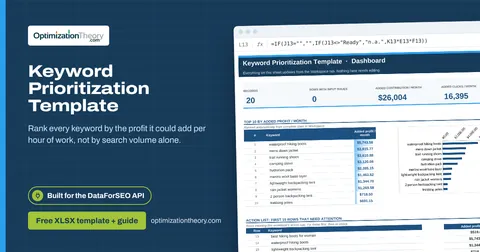
01Keyword Prioritization TemplateLabs: Keyword Overview
Rank every keyword by the profit it could add per hour of work, not by search volume alone.
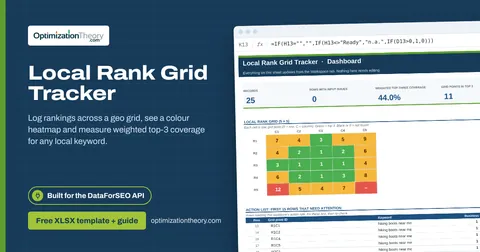
35Local Rank Grid TrackerSERP API: Google Maps
Log rankings across a geo grid, see a colour heatmap and measure weighted top-3 coverage for any local keyword.
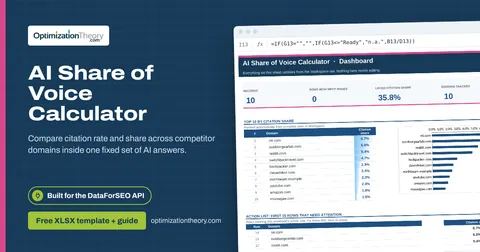
27AI Share of Voice CalculatorAI Optimization: LLM Mentions
Compare citation rate and share across competitor domains inside one fixed set of AI answers.
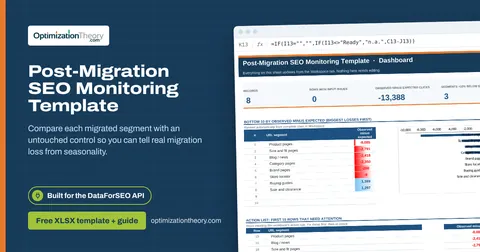
10Post-Migration SEO Monitoring TemplateLabs: Ranked Keywords
Compare each migrated segment with an untouched control so you can tell real migration loss from seasonality.
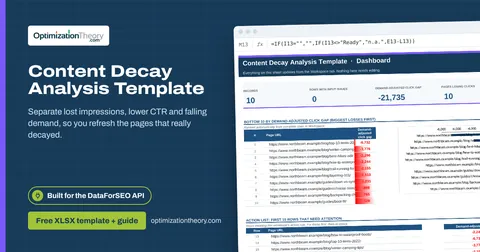
21Content Decay Analysis TemplateLabs: Ranked Keywords
Separate lost impressions, lower CTR and falling demand, so you refresh the pages that really decayed.
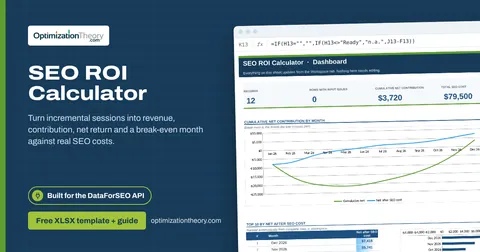
32SEO ROI CalculatorLabs: Ranked Keywords
Turn incremental sessions into revenue, contribution, net return and a break-even month against real SEO costs.
Part of the Keyword Research Toolkit
Get all 6 Keyword Research templates in one ZIP, or the complete set of 40 SEO and GEO templates with the 401-page field handbook.
Further reading on Optimization Theory

Built by Jourdan Rombough, technical SEO and GEO consultant with 15+ years in search. About Jourdan or get an SEO plan.
More on digital marketing in our blog
See all posts