DataForSEO Cost Calculator
DataForSEO Cost Calculator
Estimate monthly DataForSEO API spend by endpoint from tasks, cycles, row pricing and retries before you run a job.
What a planned data collection will cost each month by endpoint, including per-row charges and retries, before you spend the credits.
- Excel workbook (.xlsx), opens in Google Sheets
- PDF field guide, 9 to 11 pages
- Blank and worked CSV templates
- DataForSEO import script
Free, no email required. Version 3.0, updated November 2026.
=IF(J13="","",IF(J13<>"Ready","n.a.",B13*C13*K13*(1+H13)))The formula above is the real one from cell L13. Scroll it sideways to read the whole rule.
Connected to the DataForSEO API
This template is designed around one DataForSEO endpoint. Pull the data, convert it with one command, and the workbook does the rest.
DataForSEO SERP API: Google OrganicThe top organic results for a queryserp/google/organic/live/advanced
Save the JSON responseThe full API response, kept as your source of truth.response.json
Fill the CSVUse this before any of the others. Check your balance with the free appendix/user_data endpoint and copy curre
Paste at A13Dashboard, checks and action list update instantly.DataForSEO Cost Calculator.xlsx
Column map for this template:Filled by the APIAudit trail (automatic)You add
What the DataForSEO cost calculator decides
APIs like DataForSEO make SEO data cheap per call and surprisingly expensive per month. A rank tracking job that looks like a few dollars can turn into a few hundred once depth, frequency, row pricing and retries are multiplied out.
This DataForSEO cost calculator lists each endpoint you plan to use with tasks per cycle, cycles per month, base price, extra price, per-row price, rows per task and a retry rate. It calculates unit cost, monthly cost and total tasks, so you can design the collection to fit your budget. Example prices are illustrative; always copy current prices from your DataForSEO account.
Who it's for
- SEOs and developers building data pipelines on DataForSEO
- Agencies pricing data-heavy reporting
- Teams moving from SEO tool subscriptions to APIs
- Anyone using Claude, n8n or scripts with DataForSEO
Where it fits in your workflow
The DataForSEO cost calculator answers one question. These three templates answer the questions around it:
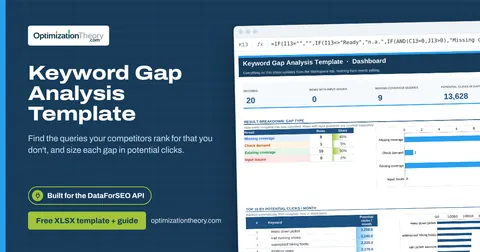
- Keyword Gap Analysis Template: which competitor-ranked queries you have no coverage for, how big each opportunity is, and which ones need a new page.
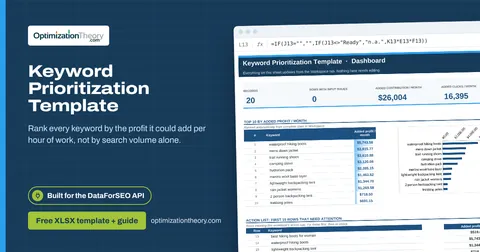
- Keyword Prioritization Template: which keywords deserve your next hours of work, ranked by the monthly profit each could add per hour invested, with every assumption visible and editable.
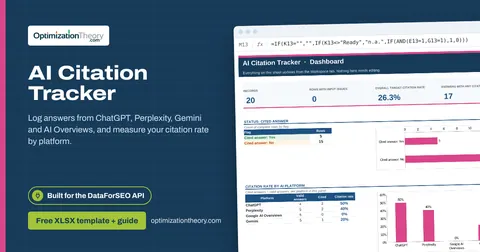
- AI Citation Tracker: how often AI answers cite your site, on which platforms and prompts, measured over an explicit set of valid, observed answers.
What's inside the download
One ZIP with the workbook, a 9-column input template (blank and filled), the PDF field guide and an offline script that converts saved DataForSEO responses into the input CSV. The workbook has five tabs.
How the DataForSEO pricing calculation works
Unit cost = base price + extra price + row price × rows per task. Monthly cost = tasks per cycle × cycles × unit cost × (1 + retry rate). Monthly tasks = tasks × cycles × (1 + retry rate).
The key formula, exactly as it appears in the workbook
=IF(J13="","",IF(J13<>"Ready","n.a.",B13*C13*K13*(1+H13)))
| Result column | Plain-English formula | What it tells you |
|---|---|---|
| Planned unit cost | Base USD ÷ task+Extras USD ÷ task+USD ÷ returned row × Rows ÷ task | Base plus extras plus applicable row charges. |
| Planned monthly cost | Tasks ÷ cycle × Cycles ÷ month × Planned unit cost × (1+Retry allowance) | Expected billable workload times unit cost and allowance. |
| Planned task count | Tasks ÷ cycle × Cycles ÷ month × (1+Retry allowance) | Task workload including the planning allowance. |
How to use the DataForSEO cost calculator
- List the endpointsOne row per endpoint and configuration (e.g. live vs task queue, depth 10 vs 100).
- Copy current pricesFrom your DataForSEO pricing page: base price, extras and any per-row price.
- Set volume and frequencyTasks per cycle (keywords, URLs, domains) and cycles per month.
- Add retries and reviewUse a retry rate for failed or repeated calls. Check the Top 10 for the endpoints driving cost.
The worked example in the Workspace tab. Clear the lime input cells, paste your CSV at A13 (values only) and every result recalculates.
Fill the DataForSEO cost calculator with DataForSEO
Every template in this library is built to run on DataForSEO data. This one uses DataForSEO SERP API: Google Organic: the top organic results for a query.
This is a sign-off workflow. DataForSEO responses are the evidence you attach; the human checks stay manual by design. Use this before any of the others. Check your balance with the free appendix/user_data endpoint and copy current prices from your DataForSEO pricing page.
- Request the dataSend this request with your DataForSEO API login (HTTP Basic auth).
POST https://api.dataforseo.com/v3/serp/google/organic/live/advanced [ { "keyword": "your keyword", "location_code": 2840, "language_code": "en", "device": "desktop", "depth": 10 } ]
Send one task per query with identical location, language and device, and save each response.
- Save the full JSON responseSave the complete response, not just the task ID, next to the template folder.
- Add what the API can't knowEndpoint path, Tasks / cycle, Cycles / month, Base USD / task, Extras USD / task, USD / returned row, Rows / task, Retry allowance
- Paste at A13Clear the demo rows, paste the CSV values at Workspace cell A13 and the dashboard updates.
| Fills automatically from DataForSEO | You add |
|---|---|
| Source reference (audit trail) | Endpoint path, Tasks / cycle, Cycles / month, Base USD / task, Extras USD / task, USD / returned row, Rows / task, Retry allowance |
Source reference fills automatically with the task ID, endpoint, location, language, device and snapshot time, so every row is traceable. Before a big pull, estimate the cost with the DataForSEO pricing calculator. The same steps, plus an example request file, are in the download's Automation folder.
Worked example: Northbeam Outdoor
Every template ships filled with data from Northbeam Outdoor, a fictional outdoor-gear retailer that appears across all 40 workbooks, so you can see what useful output looks like before you add your own. This workbook has 8 example rows.
With these illustrative prices the example plan runs about $22 a month. The LLM mentions line and the two Labs endpoints are the biggest costs because they charge per returned row, so capping rows is the first saving lever.
Top 10 by planned monthly cost
| # | Endpoint path | Planned monthly cost |
|---|---|---|
| 1 | ai_optimization/llm_mentions (illustrative) | $6.30 |
| 2 | dataforseo_labs/google/keyword_ideas/live | $3.23 |
| 3 | dataforseo_labs/google/ranked_keywords/live | $2.67 |
| 4 | serp/google/organic/task_post (depth 100) | $2.47 |
| 5 | serp/google/organic/live/advanced (depth 10) | $2.45 |
Input fields
Keep the columns in this order when you prepare a CSV. A missing observation stays blank; use 0 only for a measured zero or a verified No. Fields marked DataForSEO can be filled automatically by the included script.
| CSV field | Column | Meaning and rule | Source |
|---|---|---|---|
| endpoint | Endpoint path | Exact current API endpoint for the requested collection. | Your records |
| tasks_per_cycle | Tasks / cycle | Number of task units billed under the endpoint price model. | Your records |
| cycles_per_month | Cycles / month | Scheduled runs in the month. | Your records |
| base_price | Base USD / task | Current account-specific unit price. Enter it manually from your account or current pricing. | Your records |
| extra_price | Extras USD / task | Average optional feature charges per task under your requested settings. | Your records |
| row_price | USD / returned row | Marginal returned-row price where applicable. Enter 0 only if no row-based charge applies. | Your records |
| rows_per_task | Rows / task | Planned average returned rows where row billing applies. | Your records |
| retry_rate | Retry allowance | Expected additional billable task proportion. Confirm billing behavior for your endpoint. Decimal: 0.08 = 8%. | Your records |
| source_ref | Source reference | Task ID, export filename and observation scope. Retain the untouched source response separately. Optional. | DataForSEO: source_ref |
Reading the result honestly
This supports task-plus-row billing only when it matches your endpoint. Model tiered blocks or minimum charges separately.
Limits. All starter prices are synthetic and are not DataForSEO quotations. Collection settings and account terms determine actual charges.
DataForSEO pricing mistakes to avoid
Tips from practice
- Check your balance before big jobs; the user data endpoint is free.
- Cache responses and reuse them across reports.
- Pair with the SEO agent workflow article for practical pipelines.
Frequently asked questions
How much does DataForSEO cost?
It's pay-as-you-go, priced per task, with some endpoints adding per-row charges. Costs depend on endpoint, depth, method and volume. Check the official pricing page for current rates.
Is DataForSEO cheaper than SEO tools?
For targeted, repeatable data jobs it often is. For broad exploratory research, a subscription tool may be simpler.
What's the difference between live and standard endpoints?
Live returns results immediately at a higher price; standard (task_post then task_get) is cheaper and returns results later.
Are the prices in the template current?
No. They're illustrative. Replace them with the current prices from your DataForSEO account.
Use it with these templates
Each template answers one decision. These are the ones that feed into, or follow from, the DataForSEO cost calculator.
04Keyword Gap Analysis TemplateLabs: Ranked Keywords
Find the queries your competitors rank for that you don't, and size each gap in potential clicks.
01Keyword Prioritization TemplateLabs: Keyword Overview
Rank every keyword by the profit it could add per hour of work, not by search volume alone.
26AI Citation TrackerAI Optimization: LLM Mentions
Log answers from ChatGPT, Perplexity, Gemini and AI Overviews, and measure your citation rate by platform.
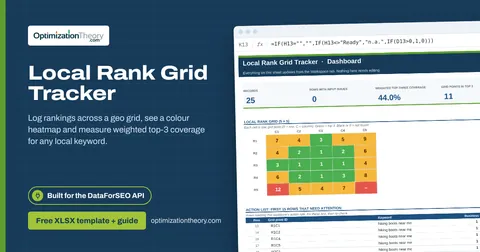
35Local Rank Grid TrackerSERP API: Google Maps
Log rankings across a geo grid, see a colour heatmap and measure weighted top-3 coverage for any local keyword.
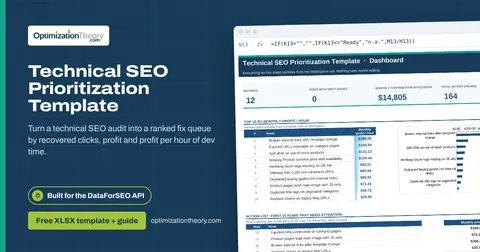
13Technical SEO Prioritization TemplateOn-Page API
Turn a technical SEO audit into a ranked fix queue by recovered clicks, profit and profit per hour of dev time.
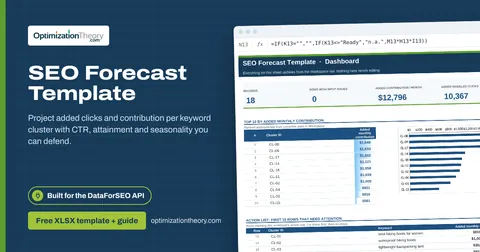
31SEO Forecast TemplateLabs: Keyword Overview
Project added clicks and contribution per keyword cluster with CTR, attainment and seasonality you can defend.
Part of the SEO Business & Delivery Toolkit
Get all 10 SEO Business & Delivery templates in one ZIP, or the complete set of 40 SEO and GEO templates with the 401-page field handbook.
Further reading on Optimization Theory

Built by Jourdan Rombough, technical SEO and GEO consultant with 15+ years in search. About Jourdan or get an SEO plan.
More on digital marketing in our blog
See all posts