Link Reclamation Template
Link Reclamation Template
Find lost and broken backlinks worth fixing and rank them by expected referrals per hour of outreach.
Which lost or broken backlinks are worth reclaiming, and which to tackle first by expected referrals per hour.
- Excel workbook (.xlsx), opens in Google Sheets
- PDF field guide, 9 to 11 pages
- Blank and worked CSV templates
- DataForSEO import script
Free, no email required. Version 3.0, updated November 2026.
=IF(J13="","",IF(J13<>"Ready","n.a.",IF(AND(F13=1,OR(C13=1,D13=1,E13>=400)),1,0)))The formula above is the real one from cell K13. Scroll it sideways to read the whole rule.
Connected to the DataForSEO API
This template is designed around one DataForSEO endpoint. Pull the data, convert it with one command, and the workbook does the rest.
DataForSEO Backlinks APILive and lost backlinks with their source, target, broken and status flagsbacklinks/backlinks/live
Save the JSON responseThe full API response, kept as your source of truth.response.json
Run the import scriptOffline. No API calls, no credentials.dataforseo_import.py import --template 34
Paste at A13Dashboard, checks and action list update instantly.Link Reclamation Template.xlsx
Column map for this template:Filled by the APIAudit trail (automatic)You add
What the link reclamation template decides
The easiest links to build are the ones you already earned. Backlinks break when you change URLs, delete pages or migrate, and they get lost when publishers update articles. Reclaiming them is usually faster than earning new ones.
This link reclamation template records each linking page, its target on your site, whether the link is lost or broken, the target's status, whether the link is relevant, estimated referrals and effort. Relevant links that are lost, broken or pointing at an error page become reclamation candidates, ranked by referrals per hour.
Who it's for
- SEOs running link building or digital PR
- Teams cleaning up after a migration or URL change
- Ecommerce sites with discontinued product URLs
- Agencies looking for quick link wins
Where it fits in your workflow
The link reclamation template answers one question. These three templates answer the questions around it:
- Redirect Mapping Template: whether each planned redirect actually reaches the approved destination in one permanent hop, on an indexable page whose canonical agrees, with a human sign-off.
- Site Migration URL Inventory Template: which legacy URLs carry real value, what happens to each one at launch, and which planned retirements would throw away clicks, revenue or backlinks.
- Internal Linking Opportunity Template: which internal links to add first, based on the source page's traffic, the expected link click-through and the value of the destination.
What's inside the download
One ZIP with the workbook, a 9-column input template (blank and filled), the PDF field guide and an offline script that converts saved DataForSEO responses into the input CSV. The workbook has five tabs.
How the link reclamation calculation works
Reclamation candidate = 1 when the link is relevant and lost, broken, or points at a target returning 400 or above. Referrals per hour = estimated referrals ÷ effort for candidates, otherwise 0.
The key formula, exactly as it appears in the workbook
=IF(J13="","",IF(J13<>"Ready","n.a.",IF(AND(F13=1,OR(C13=1,D13=1,E13>=400)),1,0)))
| Result column | Plain-English formula | What it tells you |
|---|---|---|
| Reclamation review | IF(AND(Human relevance verified=1,OR(Provider reports lost=1,Provider reports broken=1,Target HTTP status ≥ 400)),1,0) | Flags relevant relationships needing a manual repair review. |
| Planned referrals / hour | IF(Reclamation review=1,Expected referrals ÷ month ÷ Work hours,0) | Expected referral opportunity per repair hour. |
How to use the link reclamation template
- Export lost and broken linksFrom your backlink tool, export lost links and links pointing at 4xx or 5xx URLs on your site.
- Check the target statusRecord the current status of each target URL.
- Judge relevanceMark relevant = 1 only for genuine sites in your space. Skip spam directories.
- Fix or reach outRedirect broken targets yourself (fastest), then contact publishers for lost links in ranked order.
The worked example in the Workspace tab. Clear the lime input cells, paste your CSV at A13 (values only) and every result recalculates.
Fill the link reclamation template with DataForSEO
Every template in this library is built to run on DataForSEO data. This one uses DataForSEO Backlinks API: live and lost backlinks with their source, target, broken and status flags.
Most of the data columns fill automatically. Add the business inputs listed below, then paste.
- Request the dataSend this request with your DataForSEO API login (HTTP Basic auth).
POST https://api.dataforseo.com/v3/backlinks/backlinks/live [ { "target": "yourdomain.com", "mode": "as_is", "backlinks_status_type": "all", "limit": 1000 } ]
- Save the full JSON responseSave the complete response, not just the task ID, next to the template folder.
- Convert it with the included scriptIt runs offline, makes no API calls and never sees your credentials.
python3 Automation/dataforseo_import.py import --template 34 --input response.json --output my-inputs.csv
- Add what the API can't knowHuman relevance verified, Expected referrals / month, Work hours
- Paste at A13Clear the demo rows, paste the CSV values at Workspace cell A13 and the dashboard updates.
| Fills automatically from DataForSEO | You add |
|---|---|
| Referring page, Linked target, Provider reports lost, Provider reports broken, Target HTTP status | Human relevance verified, Expected referrals / month, Work hours |
Source reference fills automatically with the task ID, endpoint, location, language, device and snapshot time, so every row is traceable. Before a big pull, estimate the cost with the DataForSEO pricing calculator. The same steps, plus an example request file, are in the download's Automation folder.
Worked example: Northbeam Outdoor
Every template ships filled with data from Northbeam Outdoor, a fictional outdoor-gear retailer that appears across all 40 workbooks, so you can see what useful output looks like before you add your own. This workbook has 10 example rows.
Six example links are worth reclaiming. The top three point at old product and collection URLs that 404, so a redirect on Northbeam's side fixes them without any outreach.
Top 10 by referrals / hour
| # | Referring page | Referrals / hour |
|---|---|---|
| 1 | https://www.runnersworld.example/trail-shoes-roundup/ | 105.0 |
| 2 | https://www.backpacker.example/gear/best-boots-2024/ | 93.3 |
| 3 | https://www.trailjournal.example/reviews/summit-tent/ | 90.0 |
| 4 | https://www.hikingblog.example/layering-guide/ | 60.0 |
| 5 | https://www.gearpatrol.example/water-filters/ | 53.3 |
Input fields
Keep the columns in this order when you prepare a CSV. A missing observation stays blank; use 0 only for a measured zero or a verified No. Fields marked DataForSEO can be filled automatically by the included script.
| CSV field | Column | Meaning and rule | Source |
|---|---|---|---|
| source_url | Referring page | Page containing or formerly containing the link. | DataForSEO: url_from |
| target_url | Linked target | Exact linked destination. | DataForSEO: url_to |
| is_lost | Provider reports lost | Loss flag from the current backlinks response. 1 = Yes, 0 = No. | DataForSEO: is_lost |
| is_broken | Provider reports broken | Broken flag from the response. Verify independently. 1 = Yes, 0 = No. | DataForSEO: is_broken |
| target_status | Target HTTP status | Current observed status of the linked target. | DataForSEO: url_to_status_code |
| relevant | Human relevance verified | 1 when restoring the relationship benefits users and the destination is equivalent. 1 = Yes, 0 = No. | Your records |
| estimated_referrals | Expected referrals / month | Explicit traffic hypothesis based on actual referral history or a documented assumption. | Your records |
| effort_hours | Work hours | Estimated implementation hours, greater than zero. | Your records |
| source_ref | Source reference | Task ID, export filename and observation scope. Retain the untouched source response separately. Optional. | DataForSEO: source_ref |
Reading the result honestly
Provider link metrics describe observations. They are not a guaranteed amount of transferable ranking value.
Limits. A lost flag can be temporary. Review evidence before contacting a publisher or changing a redirect.
Link reclamation mistakes to avoid
Tips from practice
- Use the redirect mapping template to fix broken targets in bulk.
- Prioritize links that send real referral traffic, not just authority metrics.
- Check for unlinked brand mentions too; they're the next-easiest win.
Frequently asked questions
What is link reclamation?
Recovering backlinks you've lost or that point to broken URLs on your site, by redirecting targets or asking publishers to update links.
How do I find broken backlinks?
Use a backlink tool's broken backlinks report or filter your backlink export for targets returning 4xx or 5xx status codes.
Should I redirect broken backlinks?
Yes, to the most relevant live page. It recovers the link's value without outreach.
Are lost backlinks a problem?
Some loss is normal. Reclaim the relevant, valuable ones and let low-quality links go.
Use it with these templates
Each template answers one decision. These are the ones that feed into, or follow from, the link reclamation template.
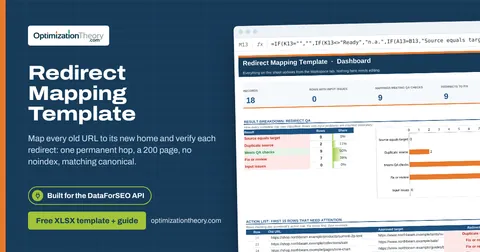
08Redirect Mapping TemplateOn-Page API
Map every old URL to its new home and verify each redirect: one permanent hop, a 200 page, no noindex, matching canonical.
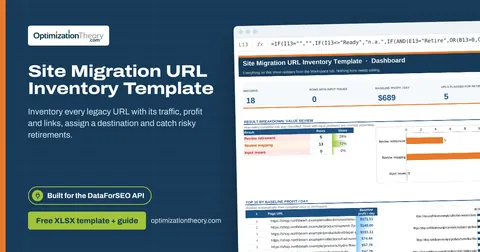
07Site Migration URL Inventory TemplateOn-Page API
Inventory every legacy URL with its traffic, profit and links, assign a destination and catch risky retirements.
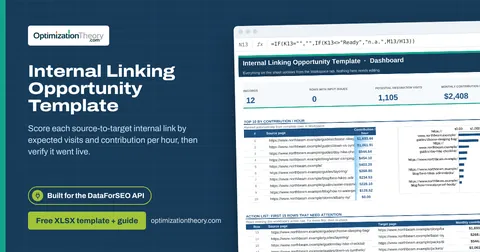
16Internal Linking Opportunity TemplateOn-Page API
Score each source-to-target internal link by expected visits and contribution per hour, then verify it went live.
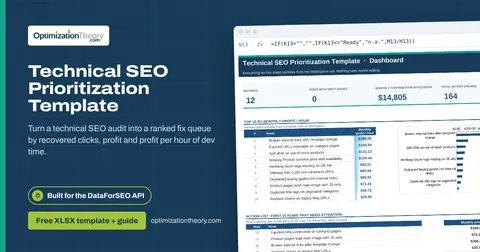
13Technical SEO Prioritization TemplateOn-Page API
Turn a technical SEO audit into a ranked fix queue by recovered clicks, profit and profit per hour of dev time.
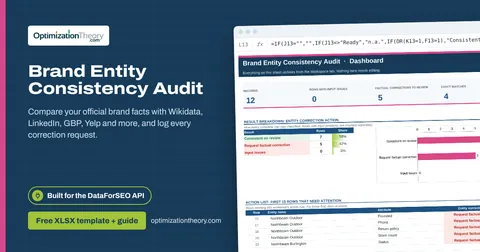
29Brand Entity Consistency AuditAI Optimization: LLM Mentions
Compare your official brand facts with Wikidata, LinkedIn, GBP, Yelp and more, and log every correction request.
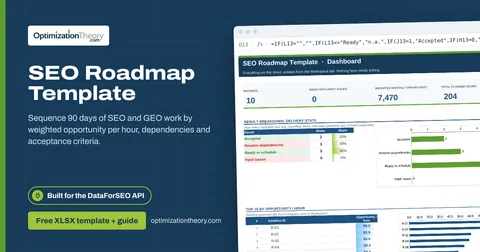
40SEO Roadmap TemplateOn-Page API
Sequence 90 days of SEO and GEO work by weighted opportunity per hour, dependencies and acceptance criteria.
Part of the SEO Business & Delivery Toolkit
Get all 10 SEO Business & Delivery templates in one ZIP, or the complete set of 40 SEO and GEO templates with the 401-page field handbook.
Further reading on Optimization Theory

Built by Jourdan Rombough, technical SEO and GEO consultant with 15+ years in search. About Jourdan or get an SEO plan.
More on digital marketing in our blog
See all posts