SEO ROI Calculator
SEO ROI Calculator
Turn incremental sessions into revenue, contribution, net return and a break-even month against real SEO costs.
Whether SEO is paying back, by month and cumulatively, after real costs, and when it broke even.
- Excel workbook (.xlsx), opens in Google Sheets
- PDF field guide, 9 to 11 pages
- Blank and worked CSV templates
- DataForSEO import script
Free, no email required. Version 3.0, updated November 2026.
=IF(H13="","",IF(H13<>"Ready","n.a.",J13-F13))The formula above is the real one from cell K13. Scroll it sideways to read the whole rule.
Connected to the DataForSEO API
This template is designed around one DataForSEO endpoint. Pull the data, convert it with one command, and the workbook does the rest.
DataForSEO Labs: Ranked KeywordsEvery keyword a domain ranks for, with its ranking URL, position and volumedataforseo_labs/google/ranked_keywords/live
Save the JSON responseThe full API response, kept as your source of truth.response.json
Run the import scriptOffline. No API calls, no credentials.dataforseo_import.py import --template 32
Paste at A13Dashboard, checks and action list update instantly.SEO ROI Calculator.xlsx
Column map for this template:Filled by the APIAudit trail (automatic)You add
What the SEO ROI calculator decides
'What's the ROI of SEO?' is usually answered with traffic charts. Traffic isn't return. Return is incremental contribution minus what you spent to earn it, and SEO's shape matters: costs come first, gains compound later.
This SEO ROI calculator records incremental sessions, conversion rate, average order value, contribution margin and SEO cost for each month. It calculates incremental revenue, contribution, net after cost, monthly ROI and a cumulative net line that shows the break-even month on the Dashboard chart.
Who it's for
- SEO leads reporting to finance or leadership
- Agencies proving the value of a retainer
- Founders deciding whether to keep investing in SEO
- Analysts comparing channels on contribution
Where it fits in your workflow
The SEO ROI calculator answers one question. These three templates answer the questions around it:
- SEO Forecast Template: how much additional traffic and monthly contribution a portfolio of keyword clusters could add, with every assumption visible.
- SEO Split Test Calculator: whether an SEO change moved traffic on treated pages relative to matched control pages, and whether the evidence supports reading the estimate.
- AI Referral Traffic Tracker: which AI referral sources and landing pages send visits that convert, and how much contribution each AI session is worth.
What's inside the download
One ZIP with the workbook, a 7-column input template (blank and filled), the PDF field guide and an offline script that converts saved DataForSEO responses into the input CSV. The workbook has five tabs.
How the SEO ROI calculator calculation works
Revenue = sessions × conversion rate × AOV. Contribution = revenue × margin. Net = contribution − SEO cost. Monthly ROI = net ÷ cost. Cumulative net is the running total of net.
The key formula, exactly as it appears in the workbook
=IF(H13="","",IF(H13<>"Ready","n.a.",J13-F13))
| Result column | Plain-English formula | What it tells you |
|---|---|---|
| Incremental revenue | Added organic sessions × Conversion rate × Order value ÷ lead value | Modeled incremental revenue. |
| Incremental contribution | Incremental revenue × Contribution margin | Revenue after the stated variable-cost margin. |
| Net after SEO cost | Incremental contribution-SEO cost | Contribution minus monthly SEO cost. |
| Monthly ROI | IF(SEO cost=0,"n.a.",Net after SEO cost ÷ SEO cost) | Net contribution divided by SEO cost. |
| Cumulative net | SUM(running total of Net after SEO cost) | Running contribution net of costs in the displayed chronological row order. |
How to use the SEO ROI calculator
- Estimate incremental sessionsSessions above a baseline or control, not total organic sessions.
- Add conversion and valueUse organic conversion rate, average order value and your contribution margin.
- Enter real costsRetainer, salaries share, content, tools and dev time spent on SEO, per month.
- Read the cumulative lineThe chart shows when cumulative net crosses zero: your payback month.
The worked example in the Workspace tab. Clear the lime input cells, paste your CSV at A13 (values only) and every result recalculates.
Fill the SEO ROI calculator with DataForSEO
Every template in this library is built to run on DataForSEO data. This one uses DataForSEO Labs: Ranked Keywords: every keyword a domain ranks for, with its ranking URL, position and volume.
DataForSEO supplies the URL or query list and the audit trail; you add the measurements listed below.
- Request the dataSend this request with your DataForSEO API login (HTTP Basic auth).
POST https://api.dataforseo.com/v3/dataforseo_labs/google/ranked_keywords/live [ { "target": "yourdomain.com", "location_code": 2840, "language_code": "en", "limit": 1000 } ]
- Save the full JSON responseSave the complete response, not just the task ID, next to the template folder.
- Convert it with the included scriptIt runs offline, makes no API calls and never sees your credentials.
python3 Automation/dataforseo_import.py import --template 32 --input response.json --output my-inputs.csv
- Add what the API can't knowMonth, Added organic sessions, Conversion rate, Order value / lead value, Contribution margin, SEO cost
- Paste at A13Clear the demo rows, paste the CSV values at Workspace cell A13 and the dashboard updates.
| Fills automatically from DataForSEO | You add |
|---|---|
| Source reference (audit trail) | Month, Added organic sessions, Conversion rate, Order value / lead value, Contribution margin, SEO cost |
Source reference fills automatically with the task ID, endpoint, location, language, device and snapshot time, so every row is traceable. Before a big pull, estimate the cost with the DataForSEO pricing calculator. The same steps, plus an example request file, are in the download's Automation folder.
Worked example: Northbeam Outdoor
Every template ships filled with data from Northbeam Outdoor, a fictional outdoor-gear retailer that appears across all 40 workbooks, so you can see what useful output looks like before you add your own. This workbook has 12 example rows.
The example program loses money every month until June, and the cumulative line only crosses zero in December. That J-curve is normal for SEO, and the chart makes it impossible to miss.
Top 10 by net after SEO cost
| # | Month | Net after SEO cost |
|---|---|---|
| 1 | Dec 2026 | $7,418 |
| 2 | Nov 2026 | $5,741 |
| 3 | Oct 2026 | $4,064 |
| 4 | Sep 2026 | $2,903 |
| 5 | Aug 2026 | $2,258 |
Input fields
Keep the columns in this order when you prepare a CSV. A missing observation stays blank; use 0 only for a measured zero or a verified No. Fields marked DataForSEO can be filled automatically by the included script.
| CSV field | Column | Meaning and rule | Source |
|---|---|---|---|
| month | Month | First day of the reporting month. Keep rows chronological. | Your records |
| incremental_sessions | Added organic sessions | Incremental sessions under your documented baseline model. | Your records |
| conversion_rate | Conversion rate | Conversions divided by eligible organic sessions for the same segment. This is an assumption. Decimal: 0.08 = 8%. | Your records |
| average_order_value | Order value / lead value | USD revenue per order or expected revenue per lead. | Your records |
| contribution_margin | Contribution margin | Revenue share remaining after variable fulfillment and selling costs. Decimal: 0.08 = 8%. | Your records |
| seo_cost | SEO cost | Monthly agency, labor, tools and allocated production cost in USD. | Your records |
| source_ref | Source reference | Task ID, export filename and observation scope. Retain the untouched source response separately. Optional. | DataForSEO: source_ref |
Reading the result honestly
Revenue ROI overstates the return when variable costs are material. Use contribution for the investment comparison.
Limits. Private outcomes come from analytics and finance. Ranked-keyword data is supporting visibility evidence, not incremental sessions.
SEO ROI calculator mistakes to avoid
Tips from practice
- Use the SEO split test calculator or post-migration monitor to estimate incremental sessions credibly.
- Compare against the forecast template to calibrate future forecasts.
- Report cumulative net to leadership; it tells the whole story in one line.
Frequently asked questions
How do you calculate SEO ROI?
(Incremental contribution from organic search − SEO cost) ÷ SEO cost. Contribution is revenue multiplied by your margin.
What is a good ROI for SEO?
It depends on margins and time frame. Many programs are negative early and strongly positive after 12 to 24 months.
How long does SEO take to pay back?
Often six to twelve months, longer in competitive markets. The cumulative chart shows your actual payback month.
What costs should I include?
Everything spent on SEO: agency or consultant fees, staff time, content, tools and development work.
Use it with these templates
Each template answers one decision. These are the ones that feed into, or follow from, the SEO ROI calculator.

31SEO Forecast TemplateLabs: Keyword Overview
Project added clicks and contribution per keyword cluster with CTR, attainment and seasonality you can defend.
33SEO Split Test CalculatorLabs: Ranked Keywords
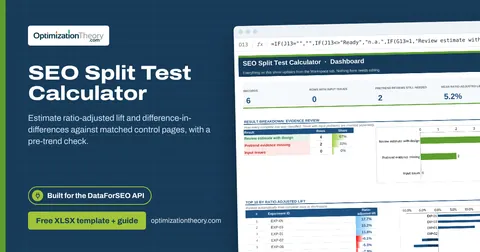
Estimate ratio-adjusted lift and difference-in-differences against matched control pages, with a pre-trend check.

30AI Referral Traffic TrackerAI Optimization: LLM Mentions
Measure sessions, conversion rate and contribution per session from ChatGPT, Perplexity, Gemini, Copilot and Claude.

40SEO Roadmap TemplateOn-Page API
Sequence 90 days of SEO and GEO work by weighted opportunity per hour, dependencies and acceptance criteria.

10Post-Migration SEO Monitoring TemplateLabs: Ranked Keywords
Compare each migrated segment with an untouched control so you can tell real migration loss from seasonality.

36Ecommerce SEO Prioritization TemplateLabs: Keyword Overview
Rank product pages by potential orders, unit contribution and profit per hour, and catch out-of-stock or noindex SKUs.
Part of the SEO Business & Delivery Toolkit
Get all 10 SEO Business & Delivery templates in one ZIP, or the complete set of 40 SEO and GEO templates with the 401-page field handbook.
Further reading on Optimization Theory

Built by Jourdan Rombough, technical SEO and GEO consultant with 15+ years in search. About Jourdan or get an SEO plan.
More on digital marketing in our blog
See all posts