Post-Migration SEO Monitoring Template
Post-Migration SEO Monitoring Template
Compare each migrated segment with an untouched control so you can tell real migration loss from seasonality.
Whether each migrated section is performing above or below what you'd expect after adjusting for market-wide changes, measured against a control segment that didn't move.
- Excel workbook (.xlsx), opens in Google Sheets
- PDF field guide, 9 to 11 pages
- Blank and worked CSV templates
- DataForSEO import script
Free, no email required. Version 3.0, updated November 2026.
=IF(I13="","",IF(I13<>"Ready","n.a.",C13-J13))The formula above is the real one from cell K13. Scroll it sideways to read the whole rule.
Connected to the DataForSEO API
This template is designed around one DataForSEO endpoint. Pull the data, convert it with one command, and the workbook does the rest.
DataForSEO Labs: Ranked KeywordsEvery keyword a domain ranks for, with its ranking URL, position and volumedataforseo_labs/google/ranked_keywords/live
Save the JSON responseThe full API response, kept as your source of truth.response.json
Run the import scriptOffline. No API calls, no credentials.dataforseo_import.py import --template 10
Paste at A13Dashboard, checks and action list update instantly.Post-Migration SEO Monitoring Template.xlsx
Column map for this template:Filled by the APIAudit trail (automatic)You add
What the Post-Migration SEO monitoring template decides
After a migration, everyone asks the same question: did we lose traffic because of the migration, or because it's January? Raw before-and-after comparisons can't answer it, because demand, algorithm updates and seasonality all move at the same time.
This post-migration monitoring template uses a control: a part of the site that didn't migrate. It scales each migrated segment's baseline by how much the control changed, giving a control-adjusted expected number. The difference between observed and expected clicks, and the relative gap, show which segments really lost ground.
Who it's for
- SEOs reporting on migration impact
- Analysts separating migration effects from seasonality or updates
- Agencies that need a fair, defensible post-launch report
- Teams deciding whether to roll back or fix forward
Where it fits in your workflow
The Post-Migration SEO monitoring template answers one question. These three templates answer the questions around it:
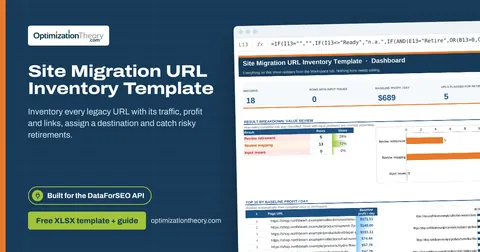
- Site Migration URL Inventory Template: which legacy URLs carry real value, what happens to each one at launch, and which planned retirements would throw away clicks, revenue or backlinks.
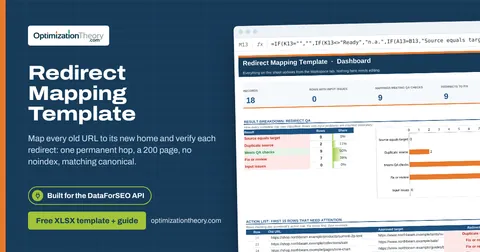
- Redirect Mapping Template: whether each planned redirect actually reaches the approved destination in one permanent hop, on an indexable page whose canonical agrees, with a human sign-off.
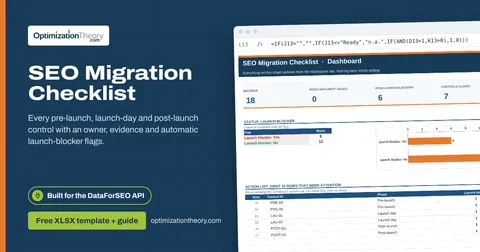
- SEO Migration Checklist: whether the migration is safe to launch: which critical controls are still open, who owns them, and what evidence closes them.
What's inside the download
One ZIP with the workbook, an 8-column input template (blank and filled), the PDF field guide and an offline script that converts saved DataForSEO responses into the input CSV. The workbook has five tabs.
How the post migration SEO monitoring calculation works
Expected clicks = baseline clicks × (control after ÷ control before). Observed minus expected = post clicks − expected. Relative gap = post ÷ expected − 1. A segment at −18% lost 18% more than the control's movement would explain.
The key formula, exactly as it appears in the workbook
=IF(I13="","",IF(I13<>"Ready","n.a.",C13-J13))
| Result column | Plain-English formula | What it tells you |
|---|---|---|
| Control-adjusted expected | Baseline clicks × (Control after ÷ Control before) | Expected post clicks if the migrated segment followed the control trend. |
| Observed minus expected | Post-launch clicks-Control-adjusted expected | Negative values show underperformance relative to this control. |
| Relative gap | IF(Control-adjusted expected=0,"n.a.",Post-launch clicks ÷ Control-adjusted expected-1) | Relative deviation from control-adjusted expected clicks. |
How to use the Post-Migration SEO monitoring template
- Choose a control segmentPick a section that didn't change (a help center, a subdomain, a subfolder) with stable traffic.
- Pull equal periodsExport clicks for each migrated segment and the control for the same number of days before and after launch.
- Enter segment rowsOne row per segment: baseline clicks, post-launch clicks, control before and after, and the period lengths.
- Investigate the biggest gapsSegments more than 10% below expected appear on the Dashboard. Check redirects, indexation and templates for those first.
The worked example in the Workspace tab. Clear the lime input cells, paste your CSV at A13 (values only) and every result recalculates.
Fill the Post-Migration SEO monitoring template with DataForSEO
Every template in this library is built to run on DataForSEO data. This one uses DataForSEO Labs: Ranked Keywords: every keyword a domain ranks for, with its ranking URL, position and volume.
Most of the data columns fill automatically. Add the business inputs listed below, then paste.
- Request the dataSend this request with your DataForSEO API login (HTTP Basic auth).
POST https://api.dataforseo.com/v3/dataforseo_labs/google/ranked_keywords/live [ { "target": "yourdomain.com", "location_code": 2840, "language_code": "en", "limit": 1000 } ]
- Save the full JSON responseSave the complete response, not just the task ID, next to the template folder.
- Convert it with the included scriptIt runs offline, makes no API calls and never sees your credentials.
python3 Automation/dataforseo_import.py import --template 10 --input response.json --output my-inputs.csv
- Add what the API can't knowURL segment, Baseline clicks, Post-launch clicks, Control before, Control after, Baseline days, Post-launch days
- Paste at A13Clear the demo rows, paste the CSV values at Workspace cell A13 and the dashboard updates.
| Fills automatically from DataForSEO | You add |
|---|---|
| Source reference (audit trail) | URL segment, Baseline clicks, Post-launch clicks, Control before, Control after, Baseline days, Post-launch days |
Source reference fills automatically with the task ID, endpoint, location, language, device and snapshot time, so every row is traceable. Before a big pull, estimate the cost with the DataForSEO pricing calculator. The same steps, plus an example request file, are in the download's Automation folder.
Worked example: Northbeam Outdoor
Every template ships filled with data from Northbeam Outdoor, a fictional outdoor-gear retailer that appears across all 40 workbooks, so you can see what useful output looks like before you add your own. This workbook has 8 example rows.
Size-and-fit pages, the blog and product pages are all well below expectation, while buying guides and sale pages beat it. That points the investigation at specific templates rather than the whole migration.
Bottom 10 by observed minus expected (biggest losses first)
| # | URL segment | Observed minus expected |
|---|---|---|
| 1 | Product pages | -8,085 |
| 2 | Size and fit pages | -2,791 |
| 3 | Blog / news | -2,418 |
| 4 | Category pages | -2,350 |
| 5 | Brand pages | -200 |
Input fields
Keep the columns in this order when you prepare a CSV. A missing observation stays blank; use 0 only for a measured zero or a verified No. Fields marked DataForSEO can be filled automatically by the included script.
| CSV field | Column | Meaning and rule | Source |
|---|---|---|---|
| segment | URL segment | Named migrated URL group. Join API URLs to this group externally. | Your records |
| baseline_clicks | Baseline clicks | GSC clicks in a complete prelaunch window. | Your records |
| post_clicks | Post-launch clicks | GSC clicks in a complete postlaunch window of equal length. | Your records |
| control_before | Control before | Clicks for an unaffected matched group before launch. | Your records |
| control_after | Control after | Clicks for that control group after launch. | Your records |
| baseline_days | Baseline days | Number of complete days in the baseline window. | Your records |
| post_days | Post-launch days | Number of complete days in the postlaunch window. | Your records |
| source_ref | Source reference | Task ID, export filename and observation scope. Retain the untouched source response separately. Optional. | DataForSEO: source_ref |
Reading the result honestly
The control adjustment separates one broad trend from the observed change. It is a diagnostic, not proof of a migration effect.
Limits. Controls can be affected by sitewide changes. Inspect country, device, holidays and query mix before acting.
Post migration SEO monitoring mistakes to avoid
Tips from practice
- Pair with the redirect QA results: segments with failed redirects usually explain the gap.
- Use the migration URL inventory's daily baselines for page-level checks.
- Re-run weekly and keep each week's sheet for the trend.
Frequently asked questions
How do I measure SEO impact after a migration?
Compare each migrated segment's clicks against what a stable control segment predicts. This separates migration effects from seasonality and market changes.
What's a control group in SEO?
A set of pages that weren't changed, used as a baseline for how traffic would have moved anyway.
How long does traffic take to recover after a migration?
Well-executed migrations often stabilize within weeks; complex ones can take months. Persistent gaps usually trace back to redirect or indexing problems.
What if I have no control segment?
Use the same period last year as a rough seasonality adjustment, and note the weaker evidence in Source reference.
Use it with these templates
Each template answers one decision. These are the ones that feed into, or follow from, the Post-Migration SEO monitoring template.
07Site Migration URL Inventory TemplateOn-Page API
Inventory every legacy URL with its traffic, profit and links, assign a destination and catch risky retirements.
08Redirect Mapping TemplateOn-Page API
Map every old URL to its new home and verify each redirect: one permanent hop, a 200 page, no noindex, matching canonical.
09SEO Migration ChecklistOn-Page API
Every pre-launch, launch-day and post-launch control with an owner, evidence and automatic launch-blocker flags.
33SEO Split Test CalculatorLabs: Ranked Keywords
Estimate ratio-adjusted lift and difference-in-differences against matched control pages, with a pre-trend check.
06SEO Visibility Score CalculatorLabs: Ranked Keywords
Weight rankings by search volume and CTR to see real visibility gains and losses across a fixed keyword set.
21Content Decay Analysis TemplateLabs: Ranked Keywords
Separate lost impressions, lower CTR and falling demand, so you refresh the pages that really decayed.
Part of the SEO Migration Toolkit
Get all 6 SEO Migration templates in one ZIP, or the complete set of 40 SEO and GEO templates with the 401-page field handbook.
Further reading on Optimization Theory

Built by Jourdan Rombough, technical SEO and GEO consultant with 15+ years in search. About Jourdan or get an SEO plan.
More on digital marketing in our blog
See all posts