SEO Migration Checklist
SEO Migration Checklist
Every pre-launch, launch-day and post-launch control with an owner, evidence and automatic launch-blocker flags.
Whether the migration is safe to launch: which critical controls are still open, who owns them, and what evidence closes them.
- Excel workbook (.xlsx), opens in Google Sheets
- PDF field guide, 9 to 11 pages
- Blank and worked CSV templates
- DataForSEO import script
Free, no email required. Version 3.0, updated November 2026.
=IF(J13="","",IF(J13<>"Ready","n.a.",IF(AND(D13=1,K13=0),1,0)))The formula above is the real one from cell L13. Scroll it sideways to read the whole rule.
Connected to the DataForSEO API
This template is designed around one DataForSEO endpoint. Pull the data, convert it with one command, and the workbook does the rest.
DataForSEO On-Page APIA crawl of your site: URLs, status codes, canonicals, inlinks and sitemap membershipon_page/task_post
Save the JSON responseThe full API response, kept as your source of truth.response.json
Run the import scriptOffline. No API calls, no credentials.dataforseo_import.py import --template 09 --csv
Paste at A13Dashboard, checks and action list update instantly.SEO Migration Checklist.xlsx
Column map for this template:Filled by the APIAudit trail (automatic)You add
What the SEO migration checklist decides
Migration checklists usually fail in one of two ways: they're too generic to act on, or every line is ticked without proof. A launch decision deserves better than a column of checkmarks.
This SEO migration checklist tracks each control by phase (pre-launch, launch day, post-launch), marks which ones are critical, and only counts a control as closed when it's Verified with evidence, or an approved Exception with evidence and a named approver. Any critical control that isn't closed is flagged as a launch blocker, and the Dashboard shows the blocker count front and center.
Who it's for
- SEO leads running a migration go/no-go
- Project managers who need SEO risks in the launch plan
- Developers who want clear acceptance criteria
- Agencies documenting what they verified and when
Where it fits in your workflow
The SEO migration checklist answers one question. These three templates answer the questions around it:
- Site Migration URL Inventory Template: which legacy URLs carry real value, what happens to each one at launch, and which planned retirements would throw away clicks, revenue or backlinks.
- Redirect Mapping Template: whether each planned redirect actually reaches the approved destination in one permanent hop, on an indexable page whose canonical agrees, with a human sign-off.
- Post-Migration SEO Monitoring Template: whether each migrated section is performing above or below what you'd expect after adjusting for market-wide changes, measured against a control segment that didn't move.
What's inside the download
One ZIP with the workbook, a 9-column input template (blank and filled), the PDF field guide and an offline script that converts saved DataForSEO responses into the input CSV. The workbook has five tabs.
How the website migration SEO checklist calculation works
Control closed = 1 when status is Verified and evidence exists, or status is Exception with evidence and an exception approver. Launch blocker = 1 when the control is critical and not closed.
The key formula, exactly as it appears in the workbook
=IF(J13="","",IF(J13<>"Ready","n.a.",IF(AND(D13=1,K13=0),1,0)))
| Result column | Plain-English formula | What it tells you |
|---|---|---|
| Control closed | IF(AND(Status="Verified",Evidence URL ≠ ""),1,IF(AND(Status="Exception",Evidence URL ≠ "",Exception approver ≠ ""),1,0)) | Verified needs evidence. An exception needs both evidence and an approver. |
| Launch blocker | IF(AND(Launch critical=1,Control closed=0),1,0) | Critical controls remain blocking until verified or formally excepted. |
How to use the SEO migration checklist
- Review the controlsThe workbook ships with 18 proven controls. Remove what doesn't apply, add your own and mark which are critical.
- Assign ownersEvery control needs a named person. 'Dev team' is a team, not an owner; name the lead if you can.
- Close with evidenceSet status to Verified only with a link, file or screenshot in Evidence. Exceptions need an approver.
- Hold the go/no-go on blockersLaunch when the Dashboard shows zero open launch blockers, or every remaining one has an approved exception.
The worked example in the Workspace tab. Clear the lime input cells, paste your CSV at A13 (values only) and every result recalculates.
Fill the SEO migration checklist with DataForSEO
Every template in this library is built to run on DataForSEO data. This one uses DataForSEO On-Page API: a crawl of your site: URLs, status codes, canonicals, inlinks and sitemap membership.
This is a sign-off workflow. DataForSEO responses are the evidence you attach; the human checks stay manual by design.
- Request the dataSend this request with your DataForSEO API login (HTTP Basic auth).
POST https://api.dataforseo.com/v3/on_page/task_post [ { "target": "yourdomain.com", "max_crawl_pages": 1000 } ]
Post the crawl task, wait for it to finish, then request on_page/pages with {"id": "<task id>", "limit": 1000} and save that response.
- Save the full JSON responseSave the complete response, not just the task ID, next to the template folder.
- Convert it with the included scriptIt runs offline, makes no API calls and never sees your credentials.
python3 Automation/dataforseo_import.py import --template 09 --csv --input my-filled.csv --output my-inputs.csv
- Add what the API can't knowControl ID, Phase, Required check, Launch critical, Status, Owner, Evidence URL, Exception approver
- Paste at A13Clear the demo rows, paste the CSV values at Workspace cell A13 and the dashboard updates.
| Fills automatically from DataForSEO | You add |
|---|---|
| Source reference (audit trail) | Control ID, Phase, Required check, Launch critical, Status, Owner, Evidence URL, Exception approver |
Source reference fills automatically with the task ID, endpoint, location, language, device and snapshot time, so every row is traceable. Before a big pull, estimate the cost with the DataForSEO pricing calculator. The same steps, plus an example request file, are in the download's Automation folder.
Worked example: Northbeam Outdoor
Every template ships filled with data from Northbeam Outdoor, a fictional outdoor-gear retailer that appears across all 40 workbooks, so you can see what useful output looks like before you add your own. This workbook has 18 example rows.
Six critical controls are still open in the example, including analytics verification on the new host and removing staging protection. That's a no-go until they're closed.
Input fields
Keep the columns in this order when you prepare a CSV. A missing observation stays blank; use 0 only for a measured zero or a verified No. Fields marked DataForSEO can be filled automatically by the included script.
| CSV field | Column | Meaning and rule | Source |
|---|---|---|---|
| control_id | Control ID | Stable identifier for a migration control. | Your records |
| phase | Phase | Discovery, Build, Prelaunch, Launch or Monitor. | Your records |
| control | Required check | The acceptance condition to verify. | Your records |
| critical | Launch critical | 1 for a control that blocks launch unless an exception is explicitly approved. 1 = Yes, 0 = No. | Your records |
| status | Status | Not started, In progress, Verified or Exception. | Your records |
| owner | Owner | Person accountable for the next action. | Your records |
| evidence | Evidence URL | Dated proof of verification or an approved exception. Optional. | Your records |
| exception_approver | Exception approver | Named person accepting a documented exception. Optional. | Your records |
| source_ref | Source reference | Task ID, export filename and observation scope. Retain the untouched source response separately. Optional. | DataForSEO: source_ref |
Reading the result honestly
The launch decision still belongs to the accountable team. Open noncritical items remain visible even when critical blockers are closed.
Limits. This is an evidence workflow. DataForSEO provides crawl proof, while status, approvals, analytics, rollback and infrastructure checks need other systems.
Website migration SEO checklist mistakes to avoid
Tips from practice
- Run the go/no-go meeting from the Dashboard tab.
- Link each control's evidence to the matching template: redirect QA, indexability review, sitemap audit.
- Copy the workbook per environment if you launch in stages.
Frequently asked questions
What should an SEO migration checklist include?
URL inventory and redirect mapping, staging protection, template checks for canonicals, robots and hreflang, analytics and Search Console setup, sitemaps, launch-day redirect testing and post-launch monitoring.
What is a launch blocker?
A critical control that isn't closed. Launching with open blockers risks traffic loss that's hard to reverse.
Do I need the Change of Address tool?
Only for domain changes. For same-domain migrations, mark it as an exception with a reason.
How long should I monitor after a migration?
Watch daily for the first two weeks, weekly for three months, and keep redirects live for at least a year.
Use it with these templates
Each template answers one decision. These are the ones that feed into, or follow from, the SEO migration checklist.
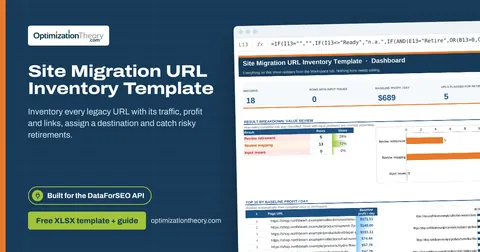
07Site Migration URL Inventory TemplateOn-Page API
Inventory every legacy URL with its traffic, profit and links, assign a destination and catch risky retirements.
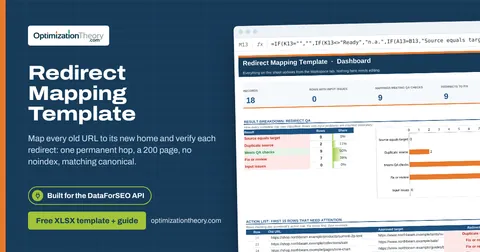
08Redirect Mapping TemplateOn-Page API
Map every old URL to its new home and verify each redirect: one permanent hop, a 200 page, no noindex, matching canonical.
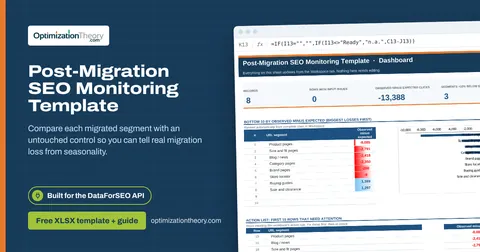
10Post-Migration SEO Monitoring TemplateLabs: Ranked Keywords
Compare each migrated segment with an untouched control so you can tell real migration loss from seasonality.
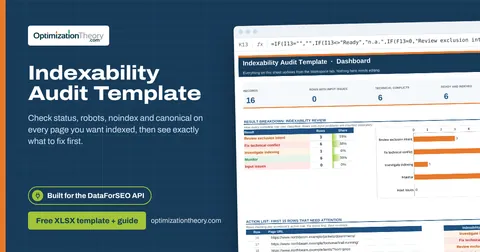
11Indexability Audit TemplateOn-Page API
Check status, robots, noindex and canonical on every page you want indexed, then see exactly what to fix first.
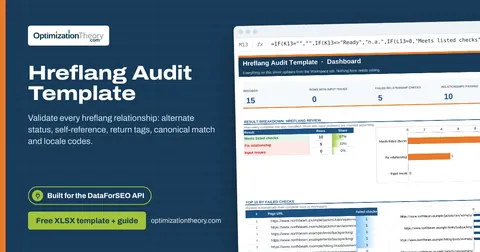
12Hreflang Audit TemplateOn-Page API
Validate every hreflang relationship: alternate status, self-reference, return tags, canonical match and locale codes.
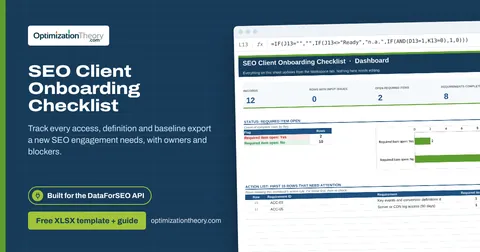
39SEO Client Onboarding ChecklistOn-Page API
Track every access, definition and baseline export a new SEO engagement needs, with owners and blockers.
Part of the SEO Migration Toolkit
Get all 6 SEO Migration templates in one ZIP, or the complete set of 40 SEO and GEO templates with the 401-page field handbook.
Further reading on Optimization Theory

Built by Jourdan Rombough, technical SEO and GEO consultant with 15+ years in search. About Jourdan or get an SEO plan.
More on digital marketing in our blog
See all posts