Keyword Mapping Template
Keyword Mapping Template
Assign every keyword to exactly one URL and catch conflicting assignments before they become cannibalization.
Which single URL should own each keyword, and where your map assigns the same query to two different pages.
- Excel workbook (.xlsx), opens in Google Sheets
- PDF field guide, 9 to 11 pages
- Blank and worked CSV templates
- DataForSEO import script
Free, no email required. Version 3.0, updated November 2026.
=IF(H13="","",IF(H13<>"Ready","n.a.",IF(COUNTIFS($A$13:$A$1012,A13,$B$13:$B$1012,"<>"&B13)>0,"Conflicting URLs","Review intent")))The formula above is the real one from cell K13. Scroll it sideways to read the whole rule.
Connected to the DataForSEO API
This template is designed around one DataForSEO endpoint. Pull the data, convert it with one command, and the workbook does the rest.
DataForSEO Labs: Ranked KeywordsEvery keyword a domain ranks for, with its ranking URL, position and volumedataforseo_labs/google/ranked_keywords/live
Save the JSON responseThe full API response, kept as your source of truth.response.json
Run the import scriptOffline. No API calls, no credentials.dataforseo_import.py import --template 02
Paste at A13Dashboard, checks and action list update instantly.Keyword Mapping Template.xlsx
Column map for this template:Filled by the APIAudit trail (automatic)You add
What the keyword mapping template decides
A keyword map is the contract between your keyword research and your site architecture. It says, for every query you care about, which one page is responsible for ranking. When that contract is missing, two writers target the same query, a category page and a blog post compete, and Google picks whichever it likes on a given day.
This keyword mapping template keeps the map in one table: keyword, target URL, cluster, intent, volume and owner. Formulas count how many times each keyword appears, how many keywords each URL carries, and flag any keyword assigned to more than one URL as Conflicting URLs. The Dashboard lists every conflict so you can resolve them before they show up in Search Console.
Who it's for
- SEOs building or cleaning up a site's information architecture
- Content teams that need a single source of truth for who owns which topic
- Migrations, where every keyword needs a destination on the new site
- Agencies handing a clear page-by-page plan to a client
Where it fits in your workflow
The keyword mapping template answers one question. These three templates answer the questions around it:
- SERP Overlap Keyword Clustering Template: whether two queries should be targeted by one page or separate pages, based on how many ranking URLs their SERPs share.
- Keyword Prioritization Template: which keywords deserve your next hours of work, ranked by the monthly profit each could add per hour invested, with every assumption visible and editable.
- Keyword Cannibalization Checker Template: which query and URL pairs are true cannibalization worth consolidating, which are distinct intents to leave alone, and which page should win.
What's inside the download
One ZIP with the workbook, a 7-column input template (blank and filled), the PDF field guide and an offline script that converts saved DataForSEO responses into the input CSV. The workbook has five tabs.
How the keyword mapping template calculation works
Query assignments counts how many rows share the same keyword. Queries on URL counts how many keywords point at the same URL, which helps you spot overloaded pages. Assignment review returns Conflicting URLs whenever the same keyword is mapped to a different URL anywhere in the table, otherwise Review intent as a reminder to check the match.
The key formula, exactly as it appears in the workbook
=IF(H13="","",IF(H13<>"Ready","n.a.",IF(COUNTIFS($A$13:$A$1012,A13,$B$13:$B$1012,"<>"&B13)>0,"Conflicting URLs","Review intent")))
| Result column | Plain-English formula | What it tells you |
|---|---|---|
| Query assignments | COUNTIFS(all Keyword,Keyword) | Number of rows assigning this exact keyword. |
| Queries on URL | COUNTIFS(all Target URL,Target URL) | Number of keyword rows assigned to this URL. Several supporting queries can be intentional. |
| Assignment review | IF(COUNTIFS(all Keyword,Keyword,all Target URL," ≠ "&Target URL)>0,"Conflicting URLs","Review intent") | Flags the same exact keyword assigned to different URLs. |
The results you will see
Conflicting URLsReview intent
Green meets the checks, red needs fixing first, amber needs a human decision and blue marks an opportunity. Rows with missing or out-of-range inputs are held back in the Input check column until they're fixed, so a half-filled row never sneaks into a total.
How to use the keyword mapping template
- List your target keywordsPaste keywords with search volume, one per row. Include the ones you already rank for, not just new targets.
- Assign one target URL eachChoose the existing or planned URL that best matches the intent. Use the cluster column to group keywords that belong on the same page.
- Label intent and ownerPick an intent from the dropdown (informational, commercial, transactional, navigational, local) and name the person responsible for that page.
- Resolve every conflictOpen the Dashboard action list. Each row is a keyword mapped to more than one URL. Pick one owner page and plan internal links or consolidation for the other.
The worked example in the Workspace tab. Clear the lime input cells, paste your CSV at A13 (values only) and every result recalculates.
Fill the keyword mapping template with DataForSEO
Every template in this library is built to run on DataForSEO data. This one uses DataForSEO Labs: Ranked Keywords: every keyword a domain ranks for, with its ranking URL, position and volume.
Most of the data columns fill automatically. Add the business inputs listed below, then paste.
- Request the dataSend this request with your DataForSEO API login (HTTP Basic auth).
POST https://api.dataforseo.com/v3/dataforseo_labs/google/ranked_keywords/live [ { "target": "yourdomain.com", "location_code": 2840, "language_code": "en", "limit": 1000 } ]
- Save the full JSON responseSave the complete response, not just the task ID, next to the template folder.
- Convert it with the included scriptIt runs offline, makes no API calls and never sees your credentials.
python3 Automation/dataforseo_import.py import --template 02 --input response.json --output my-inputs.csv
- Add what the API can't knowTopic cluster, Owner
- Paste at A13Clear the demo rows, paste the CSV values at Workspace cell A13 and the dashboard updates.
| Fills automatically from DataForSEO | You add |
|---|---|
| Keyword, Target URL, Search intent, Monthly searches | Topic cluster, Owner |
Source reference fills automatically with the task ID, endpoint, location, language, device and snapshot time, so every row is traceable. Before a big pull, estimate the cost with the DataForSEO pricing calculator. The same steps, plus an example request file, are in the download's Automation folder.
Worked example: Northbeam Outdoor
Every template ships filled with data from Northbeam Outdoor, a fictional outdoor-gear retailer that appears across all 40 workbooks, so you can see what useful output looks like before you add your own. This workbook has 20 example rows.
Two keywords in the example were mapped twice by different people, which is exactly how cannibalization starts in real teams. The conflicts surface on the Dashboard immediately.
Top 10 by monthly searches
| # | Keyword | Monthly searches |
|---|---|---|
| 1 | trail running shoes | 40,500 |
| 2 | trail running shoes | 40,500 |
| 3 | rain jacket womens | 27,100 |
| 4 | waterproof hiking boots | 22,200 |
| 5 | mens down jacket | 18,100 |
Input fields
Keep the columns in this order when you prepare a CSV. A missing observation stays blank; use 0 only for a measured zero or a verified No. Fields marked DataForSEO can be filled automatically by the included script.
| CSV field | Column | Meaning and rule | Source |
|---|---|---|---|
| keyword | Keyword | Exact query in the selected country and language. | DataForSEO: keyword |
| target_url | Target URL | The intended canonical landing page. | DataForSEO: url |
| cluster | Topic cluster | Human-approved group based on intent and SERP review. | Your records |
| intent | Search intent | Informational, commercial, navigational or transactional. | DataForSEO: intent |
| search_volume | Monthly searches | Provider monthly search-volume estimate. Use one market, language and source date. | DataForSEO: search_volume |
| owner | Owner | Person accountable for the next action. | Your records |
| source_ref | Source reference | Task ID, export filename and observation scope. Retain the untouched source response separately. Optional. | DataForSEO: source_ref |
Reading the result honestly
Multiple queries on one page are normal when they share intent. Multiple destinations for the same query deserve a review.
Limits. This catches mapping conflicts, not ranking cannibalization. Use resource 22 for measured page competition.
Keyword mapping template mistakes to avoid
Tips from practice
- Use the SERP overlap template to decide which keywords share a page before you map.
- Export the map as CSV and join it to Search Console data to see which pages rank for queries mapped elsewhere.
- Revisit the map after every content audit, since merged and retired URLs change ownership.
Frequently asked questions
What is keyword mapping in SEO?
Keyword mapping is assigning each target keyword, or keyword cluster, to the one page on your site that should rank for it. It prevents internal competition and shows where new pages are needed.
How many keywords should map to one page?
As many as share the same search intent and SERP. A page commonly owns one primary keyword and a handful to a few dozen close variants.
How does the template detect conflicts?
It counts rows where the same keyword is assigned to a different URL. Any keyword with more than one target URL is flagged as Conflicting URLs.
Can I use this for a site migration?
Yes. Map keywords to the new URLs, then use the redirect mapping template to make sure every old URL that ranked for those keywords points at the right destination.
Use it with these templates
Each template answers one decision. These are the ones that feed into, or follow from, the keyword mapping template.
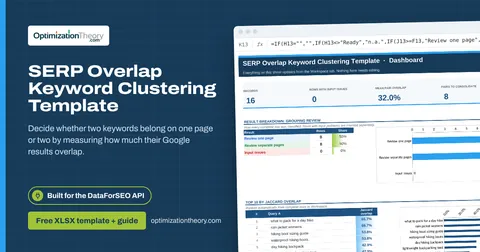
03SERP Overlap Keyword Clustering TemplateSERP API: Google Organic
Decide whether two keywords belong on one page or two by measuring how much their Google results overlap.
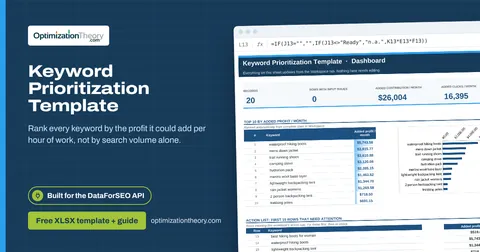
01Keyword Prioritization TemplateLabs: Keyword Overview
Rank every keyword by the profit it could add per hour of work, not by search volume alone.
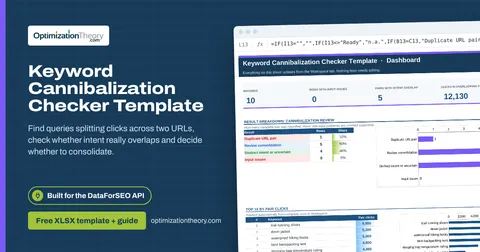
22Keyword Cannibalization Checker TemplateLabs: Ranked Keywords
Find queries splitting clicks across two URLs, check whether intent really overlaps and decide whether to consolidate.
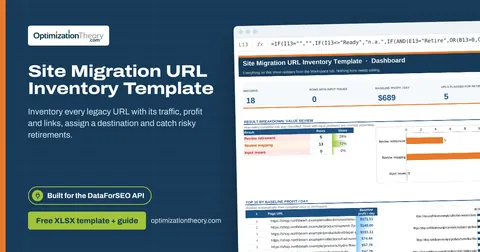
07Site Migration URL Inventory TemplateOn-Page API
Inventory every legacy URL with its traffic, profit and links, assign a destination and catch risky retirements.
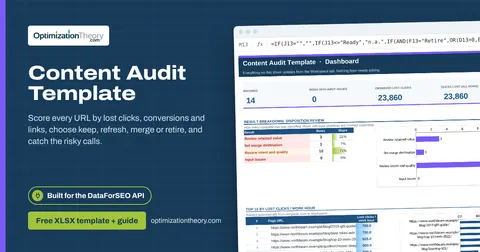
20Content Audit TemplateOn-Page API
Score every URL by lost clicks, conversions and links, choose keep, refresh, merge or retire, and catch the risky calls.
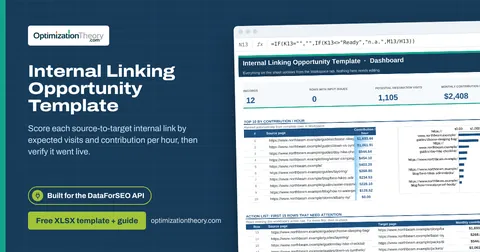
16Internal Linking Opportunity TemplateOn-Page API
Score each source-to-target internal link by expected visits and contribution per hour, then verify it went live.
Part of the Keyword Research Toolkit
Get all 6 Keyword Research templates in one ZIP, or the complete set of 40 SEO and GEO templates with the 401-page field handbook.
Further reading on Optimization Theory

Built by Jourdan Rombough, technical SEO and GEO consultant with 15+ years in search. About Jourdan or get an SEO plan.
More on digital marketing in our blog
See all posts