SEO Roadmap Template
SEO Roadmap Template
Sequence 90 days of SEO and GEO work by weighted opportunity per hour, dependencies and acceptance criteria.
What to do in each 30-day phase, ranked by weighted monthly opportunity per hour, which initiatives are blocked by dependencies, and what 'done' means for each.
- Excel workbook (.xlsx), opens in Google Sheets
- PDF field guide, 9 to 11 pages
- Blank and worked CSV templates
- DataForSEO import script
Free, no email required. Version 3.0, updated November 2026.
=IF(L13="","",IF(L13<>"Ready","n.a.",IF(J13=1,"Accepted",IF(H13=0,"Resolve dependencies","Ready to schedule"))))The formula above is the real one from cell O13. Scroll it sideways to read the whole rule.
Connected to the DataForSEO API
This template is designed around one DataForSEO endpoint. Pull the data, convert it with one command, and the workbook does the rest.
DataForSEO On-Page APIA crawl of your site: URLs, status codes, canonicals, inlinks and sitemap membershipon_page/task_post
Save the JSON responseThe full API response, kept as your source of truth.response.json
Run the import scriptOffline. No API calls, no credentials.dataforseo_import.py import --template 40
Paste at A13Dashboard, checks and action list update instantly.SEO Roadmap Template.xlsx
Column map for this template:Filled by the APIAudit trail (automatic)You add
What the SEO roadmap template decides
Most SEO roadmaps are lists of good ideas with dates attached. They don't say which idea is worth the most per hour, what has to happen first, or how anyone will know an initiative is finished.
This SEO roadmap template plans 90 days of SEO and GEO work. Each initiative has a phase, owner, hours, estimated monthly profit and confidence. It calculates weighted monthly opportunity and opportunity per hour, and tracks each initiative to Accepted only when its acceptance criteria are met, flagging anything with unresolved dependencies.
Who it's for
- SEO leads planning a quarter
- Consultants delivering a 90-day plan to a client
- Teams combining technical, content and GEO work
- Leaders who want a plan with clear acceptance criteria
Where it fits in your workflow
The SEO roadmap template answers one question. These three templates answer the questions around it:
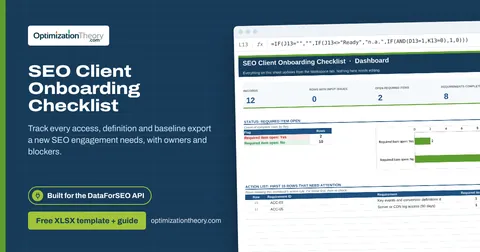
- SEO Client Onboarding Checklist: whether a new SEO engagement has everything it needs to start: access verified, definitions agreed and baselines captured, and what's blocking the rest.
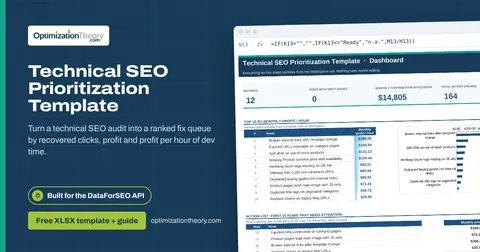
- Technical SEO Prioritization Template: which technical issues to fix first, ranked by an explicit estimate of recoverable clicks and monthly profit per hour of effort.
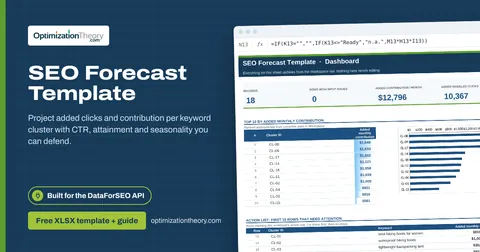
- SEO Forecast Template: how much additional traffic and monthly contribution a portfolio of keyword clusters could add, with every assumption visible.
What's inside the download
One ZIP with the workbook, an 11-column input template (blank and filled), the PDF field guide and an offline script that converts saved DataForSEO responses into the input CSV. The workbook has five tabs.
How the SEO roadmap template calculation works
Weighted monthly opportunity = monthly profit × confidence. Opportunity per hour = weighted opportunity ÷ hours. Delivery state = Accepted if accepted, Resolve dependencies if dependencies aren't ready, otherwise Ready to schedule.
The key formula, exactly as it appears in the workbook
=IF(L13="","",IF(L13<>"Ready","n.a.",IF(J13=1,"Accepted",IF(H13=0,"Resolve dependencies","Ready to schedule"))))
| Result column | Plain-English formula | What it tells you |
|---|---|---|
| Weighted monthly opportunity | Monthly contribution hypothesis × Confidence factor | Planning opportunity after an uncertainty haircut. |
| Monthly opportunity / hour | IF(Planned hours=0,"n.a.",Weighted monthly opportunity ÷ Planned hours) | Comparable planning value per hour. |
| Delivery state | IF(Delivery accepted=1,"Accepted",IF(Dependencies ready=0,"Resolve dependencies","Ready to schedule")) | Acceptance is recorded independently from planned effort. |
The results you will see
AcceptedResolve dependenciesReady to schedule
Green meets the checks, red needs fixing first, amber needs a human decision and blue marks an opportunity. Rows with missing or out-of-range inputs are held back in the Input check column until they're fixed, so a half-filled row never sneaks into a total.
How to use the SEO roadmap template
- List initiatives from your auditsPull the top items from the technical prioritizer, content audit, forecast and GEO templates.
- Estimate value and confidenceMonthly profit if it works, and how confident you are (0 to 1).
- Write acceptance criteriaA testable definition of done for each initiative.
- Phase by value and dependenciesEarly phases get high value per hour with no blockers. Resolve dependencies before scheduling.
The worked example in the Workspace tab. Clear the lime input cells, paste your CSV at A13 (values only) and every result recalculates.
Fill the SEO roadmap template with DataForSEO
Every template in this library is built to run on DataForSEO data. This one uses DataForSEO On-Page API: a crawl of your site: URLs, status codes, canonicals, inlinks and sitemap membership.
DataForSEO supplies the URL or query list and the audit trail; you add the measurements listed below.
- Request the dataSend this request with your DataForSEO API login (HTTP Basic auth).
POST https://api.dataforseo.com/v3/on_page/task_post [ { "target": "yourdomain.com", "max_crawl_pages": 1000 } ]
Post the crawl task, wait for it to finish, then request on_page/pages with {"id": "<task id>", "limit": 1000} and save that response.
- Save the full JSON responseSave the complete response, not just the task ID, next to the template folder.
- Convert it with the included scriptIt runs offline, makes no API calls and never sees your credentials.
python3 Automation/dataforseo_import.py import --template 40 --input response.json --output my-inputs.csv
- Add what the API can't knowInitiative ID, Initiative, Delivery phase, Owner, Planned hours, Monthly contribution hypothesis, Confidence factor, Dependencies ready, Acceptance condition, Delivery accepted
- Paste at A13Clear the demo rows, paste the CSV values at Workspace cell A13 and the dashboard updates.
| Fills automatically from DataForSEO | You add |
|---|---|
| Source reference (audit trail) | Initiative ID, Initiative, Delivery phase, Owner, Planned hours, Monthly contribution hypothesis, Confidence factor, Dependencies ready, Acceptance condition, Delivery accepted |
Source reference fills automatically with the task ID, endpoint, location, language, device and snapshot time, so every row is traceable. Before a big pull, estimate the cost with the DataForSEO pricing calculator. The same steps, plus an example request file, are in the download's Automation folder.
Worked example: Northbeam Outdoor
Every template ships filled with data from Northbeam Outdoor, a fictional outdoor-gear retailer that appears across all 40 workbooks, so you can see what useful output looks like before you add your own. This workbook has 10 example rows.
Fixing faceted URL indexation and adding guide-to-category links offer the best value per hour. Redirect cleanup is already accepted, while product schema, the trail-guide batch and the Core Web Vitals work are blocked on dependencies.
Top 10 by opportunity / hour
| # | Initiative ID | Opportunity / hour |
|---|---|---|
| 1 | R-01 | 85.0 |
| 2 | R-07 | 82.5 |
| 3 | R-02 | 60.0 |
| 4 | R-04 | 58.3 |
| 5 | R-06 | 53.3 |
Input fields
Keep the columns in this order when you prepare a CSV. A missing observation stays blank; use 0 only for a measured zero or a verified No. Fields marked DataForSEO can be filled automatically by the included script.
| CSV field | Column | Meaning and rule | Source |
|---|---|---|---|
| initiative_id | Initiative ID | Stable initiative or workstream identifier. | Your records |
| initiative | Initiative | Specific change with an observable acceptance condition. | Your records |
| phase | Delivery phase | Days 1-30, Days 31-60 or Days 61-90. | Your records |
| owner | Owner | Person accountable for the next action. | Your records |
| hours | Planned hours | Expected delivery effort. | Your records |
| monthly_profit | Monthly contribution hypothesis | Explicit monthly contribution opportunity if the initiative succeeds. | Your records |
| confidence | Confidence factor | Analyst planning haircut, not statistical confidence. Decimal: 0.08 = 8%. | Your records |
| dependencies_ready | Dependencies ready | 1 only after required access, data and predecessor changes are available. 1 = Yes, 0 = No. | Your records |
| acceptance | Acceptance condition | Specific evidence needed to accept delivery. | Your records |
| accepted | Delivery accepted | 1 only after the acceptance condition is verified. 1 = Yes, 0 = No. | Your records |
| source_ref | Source reference | Task ID, export filename and observation scope. Retain the untouched source response separately. Optional. | DataForSEO: source_ref |
Reading the result honestly
Keep the roadmap small enough for the team to deliver. Link business hypotheses to the assumptions in the relevant calculator.
Limits. DataForSEO informs the evidence. Owners, capacity, economic hypotheses and delivery acceptance are human inputs.
SEO roadmap template mistakes to avoid
Tips from practice
- Review the roadmap every two weeks and update accepted items.
- Feed accepted outcomes into the ROI calculator.
- Start with the onboarding checklist so the roadmap isn't built on missing data.
Frequently asked questions
What should an SEO roadmap include?
Prioritized initiatives, owners, effort, expected impact, dependencies, timelines and acceptance criteria.
How do you prioritize an SEO roadmap?
Rank initiatives by expected value per hour of effort, adjusted for confidence, and sequence around dependencies.
Why 90 days?
It's long enough to deliver meaningful work and short enough to re-plan based on results.
Can I include GEO work in an SEO roadmap?
Yes. AI visibility initiatives like prompt panels, entity cleanup and answer evidence audits fit the same prioritization.
Use it with these templates
Each template answers one decision. These are the ones that feed into, or follow from, the SEO roadmap template.
39SEO Client Onboarding ChecklistOn-Page API
Track every access, definition and baseline export a new SEO engagement needs, with owners and blockers.
13Technical SEO Prioritization TemplateOn-Page API
Turn a technical SEO audit into a ranked fix queue by recovered clicks, profit and profit per hour of dev time.
31SEO Forecast TemplateLabs: Keyword Overview
Project added clicks and contribution per keyword cluster with CTR, attainment and seasonality you can defend.
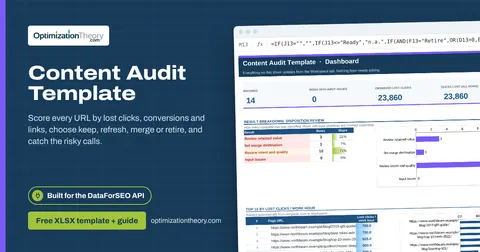
20Content Audit TemplateOn-Page API
Score every URL by lost clicks, conversions and links, choose keep, refresh, merge or retire, and catch the risky calls.
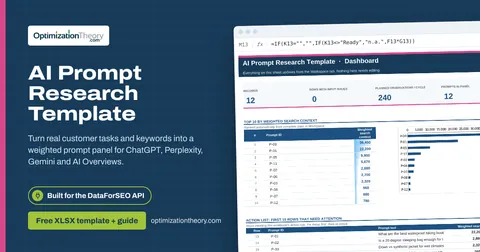
25AI Prompt Research TemplateLabs: Keyword Overview
Turn real customer tasks and keywords into a weighted prompt panel for ChatGPT, Perplexity, Gemini and AI Overviews.
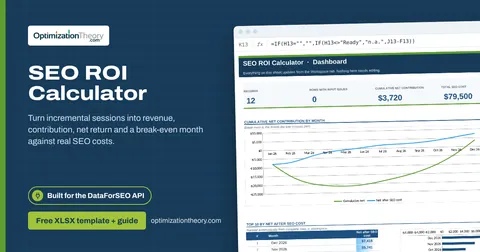
32SEO ROI CalculatorLabs: Ranked Keywords
Turn incremental sessions into revenue, contribution, net return and a break-even month against real SEO costs.
Part of the SEO Business & Delivery Toolkit
Get all 10 SEO Business & Delivery templates in one ZIP, or the complete set of 40 SEO and GEO templates with the 401-page field handbook.
Further reading on Optimization Theory

Built by Jourdan Rombough, technical SEO and GEO consultant with 15+ years in search. About Jourdan or get an SEO plan.
More on digital marketing in our blog
See all posts