Hreflang Audit Template
Hreflang Audit Template
Validate every hreflang relationship: alternate status, self-reference, return tags, canonical match and locale codes.
Which hreflang relationships pass every check and which need fixing, with the number of failed checks per alternate.
- Excel workbook (.xlsx), opens in Google Sheets
- PDF field guide, 9 to 11 pages
- Blank and worked CSV templates
- DataForSEO import script
Free, no email required. Version 3.0, updated November 2026.
=IF(K13="","",IF(K13<>"Ready","n.a.",IF(L13=0,"Meets listed checks","Fix relationship")))The formula above is the real one from cell M13. Scroll it sideways to read the whole rule.
Connected to the DataForSEO API
This template is designed around one DataForSEO endpoint. Pull the data, convert it with one command, and the workbook does the rest.
DataForSEO On-Page APIA crawl of your site: URLs, status codes, canonicals, inlinks and sitemap membershipon_page/task_post
Save the JSON responseThe full API response, kept as your source of truth.response.json
Run the import scriptOffline. No API calls, no credentials.dataforseo_import.py import --template 12 --csv
Paste at A13Dashboard, checks and action list update instantly.Hreflang Audit Template.xlsx
Column map for this template:Filled by the APIAudit trail (automatic)You add
What the hreflang audit template decides
Hreflang has a reputation for being fragile, and it earns it. One missing return tag, one alternate that 404s, or one 'en-uk' instead of 'en-gb' and Google ignores the annotation for that pair. Large international sites can have thousands of these relationships, and they break quietly.
This hreflang audit template checks each URL and alternate pair for five conditions: the alternate returns 200, the page references itself, the alternate links back (reciprocal), the canonicals agree, and the locale code is valid. It counts failed checks and marks each relationship Meets listed checks or Fix relationship.
Who it's for
- International SEOs managing multiple locales
- Developers implementing hreflang in templates or sitemaps
- Teams launching a new market or language
- Migrations that change international URL structure
Where it fits in your workflow
The hreflang audit template answers one question. These three templates answer the questions around it:
- Indexability Audit Template: which pages that should be indexed have a technical conflict, which are technically fine but still not indexed, and which were never meant to be indexed.
- XML Sitemap Audit Template: which URLs should be removed from your XML sitemap (or fixed), which eligible URLs are missing from it, and which are fine.
- Redirect Mapping Template: whether each planned redirect actually reaches the approved destination in one permanent hop, on an indexable page whose canonical agrees, with a human sign-off.
What's inside the download
One ZIP with the workbook, a 10-column input template (blank and filled), the PDF field guide and an offline script that converts saved DataForSEO responses into the input CSV. The workbook has five tabs.
How the hreflang checker calculation works
Failed checks = 1 if the alternate isn't 200, plus 1 for each of: missing self-reference, missing return tag, canonical mismatch, invalid locale. Zero failures = Meets listed checks.
The key formula, exactly as it appears in the workbook
=IF(K13="","",IF(K13<>"Ready","n.a.",IF(L13=0,"Meets listed checks","Fix relationship")))
| Result column | Plain-English formula | What it tells you |
|---|---|---|
| Failed checks | IF(Alternate status=200,0,1)+(1-Self-reference verified)+(1-Reciprocal verified)+(1-Canonical aligned)+(1-Locale valid) | Count of the five reviewed acceptance checks that fail. |
| Hreflang review | IF(Failed checks=0,"Meets listed checks","Fix relationship") | Evidence-backed QA status for this directed page pair. |
The results you will see
Meets listed checksFix relationship
Green meets the checks, red needs fixing first, amber needs a human decision and blue marks an opportunity. Rows with missing or out-of-range inputs are held back in the Input check column until they're fixed, so a half-filled row never sneaks into a total.
How to use the hreflang audit template
- Export hreflang annotationsCrawl your site and export each page with its declared alternates and locale codes, from HTML, headers or sitemaps.
- Add one row per relationshipEach row is one page and one alternate, with the alternate's status code.
- Score the five checksMark self-reference, reciprocal, canonical match and locale valid as 1 or 0. Use the dropdown for common codes.
- Fix by patternFailures usually repeat by template or locale. Fix the template, then re-crawl.
The worked example in the Workspace tab. Clear the lime input cells, paste your CSV at A13 (values only) and every result recalculates.
Fill the hreflang audit template with DataForSEO
Every template in this library is built to run on DataForSEO data. This one uses DataForSEO On-Page API: a crawl of your site: URLs, status codes, canonicals, inlinks and sitemap membership.
This is a sign-off workflow. DataForSEO responses are the evidence you attach; the human checks stay manual by design.
- Request the dataSend this request with your DataForSEO API login (HTTP Basic auth).
POST https://api.dataforseo.com/v3/on_page/task_post [ { "target": "yourdomain.com", "max_crawl_pages": 1000 } ]
Post the crawl task, wait for it to finish, then request on_page/pages with {"id": "<task id>", "limit": 1000} and save that response.
- Save the full JSON responseSave the complete response, not just the task ID, next to the template folder.
- Convert it with the included scriptIt runs offline, makes no API calls and never sees your credentials.
python3 Automation/dataforseo_import.py import --template 12 --csv --input my-filled.csv --output my-inputs.csv
- Add what the API can't knowLocale code, Alternate URL, Alternate status, Self-reference verified, Reciprocal verified, Canonical aligned, Locale valid, Evidence
- Paste at A13Clear the demo rows, paste the CSV values at Workspace cell A13 and the dashboard updates.
| Fills automatically from DataForSEO | You add |
|---|---|
| Page URL | Locale code, Alternate URL, Alternate status, Self-reference verified, Reciprocal verified, Canonical aligned, Locale valid, Evidence |
Source reference fills automatically with the task ID, endpoint, location, language, device and snapshot time, so every row is traceable. Before a big pull, estimate the cost with the DataForSEO pricing calculator. The same steps, plus an example request file, are in the download's Automation folder.
Worked example: Northbeam Outdoor
Every template ships filled with data from Northbeam Outdoor, a fictional outdoor-gear retailer that appears across all 40 workbooks, so you can see what useful output looks like before you add your own. This workbook has 15 example rows.
Five of 15 example relationships fail, and they fail in the classic ways: a German page missing its return tag, a UK URL that was renamed and now 404s, a French canonical pointing to English, and the invalid code en-uk.
Top 10 by failed checks
| # | Page URL | Failed checks |
|---|---|---|
| 1 | https://www.northbeam.example/jackets/rain/womens/ | 1 |
| 2 | https://www.northbeam.example/jackets/rain/womens/ | 1 |
| 3 | https://www.northbeam.example/tents/backpacking/ | 1 |
| 4 | https://www.northbeam.example/tents/backpacking/ | 1 |
| 5 | https://www.northbeam.example/hiking-boots/womens/ | 1 |
Input fields
Keep the columns in this order when you prepare a CSV. A missing observation stays blank; use 0 only for a measured zero or a verified No. Fields marked DataForSEO can be filled automatically by the included script.
| CSV field | Column | Meaning and rule | Source |
|---|---|---|---|
| url | Page URL | Exact absolute URL. Keep case and query parameters unless a documented normalization rule applies. | DataForSEO: url |
| locale | Locale code | Language or language-region code reviewed against the implementation spec. | Your records |
| alternate_url | Alternate URL | Absolute alternate URL extracted from hreflang markup. | Your records |
| alternate_status | Alternate status | HTTP response at the alternate URL. | Your records |
| self_reference | Self-reference verified | 1 when the page includes the required self-reference. 1 = Yes, 0 = No. | Your records |
| reciprocal | Reciprocal verified | 1 after checking the alternate links back to this page. 1 = Yes, 0 = No. | Your records |
| canonical_match | Canonical aligned | 1 after verifying canonical choices do not conflict with the hreflang relationship. 1 = Yes, 0 = No. | Your records |
| locale_valid | Locale valid | 1 only after validating the actual locale code and page language. 1 = Yes, 0 = No. | Your records |
| evidence | Evidence | Link to a dated crawl, screenshot, ticket or source that another reviewer can inspect. | Your records |
| source_ref | Source reference | Task ID, export filename and observation scope. Retain the untouched source response separately. Optional. | DataForSEO: source_ref |
Reading the result honestly
Use one row per directed alternate relationship. Validate every member of a locale cluster.
Limits. The starter importer enriches page URLs. It does not extract or infer hreflang tags, return links or language correctness.
Hreflang checker mistakes to avoid
Tips from practice
- Pick one implementation method (HTML, header or sitemap) per page type; mixing causes conflicts.
- Validate after every locale launch, not just once.
- Include hreflang checks in the migration checklist.
Frequently asked questions
What are hreflang return tags?
Each page in a hreflang set must link to every alternate, and each alternate must link back. Without the return link, Google may ignore the pair.
What is the correct hreflang code for the UK?
en-gb. Language codes are ISO 639-1 and region codes are ISO 3166-1 Alpha 2.
Does hreflang need a self-referencing tag?
Yes. Each page should include itself in its own hreflang set.
Is hreflang a ranking factor?
No. It helps Google show the right language or regional version; it doesn't boost rankings on its own.
Use it with these templates
Each template answers one decision. These are the ones that feed into, or follow from, the hreflang audit template.
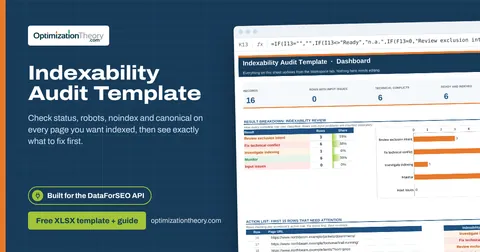
11Indexability Audit TemplateOn-Page API
Check status, robots, noindex and canonical on every page you want indexed, then see exactly what to fix first.
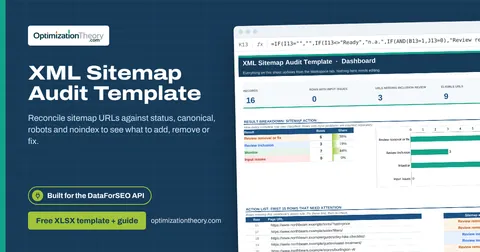
17XML Sitemap Audit TemplateOn-Page API
Reconcile sitemap URLs against status, canonical, robots and noindex to see what to add, remove or fix.
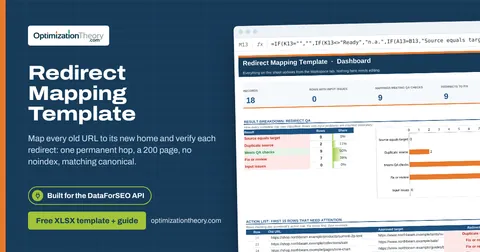
08Redirect Mapping TemplateOn-Page API
Map every old URL to its new home and verify each redirect: one permanent hop, a 200 page, no noindex, matching canonical.
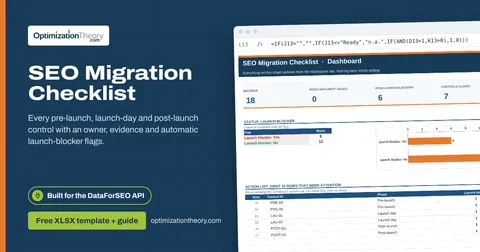
09SEO Migration ChecklistOn-Page API
Every pre-launch, launch-day and post-launch control with an owner, evidence and automatic launch-blocker flags.
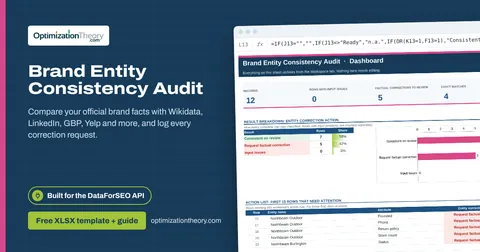
29Brand Entity Consistency AuditAI Optimization: LLM Mentions
Compare your official brand facts with Wikidata, LinkedIn, GBP, Yelp and more, and log every correction request.
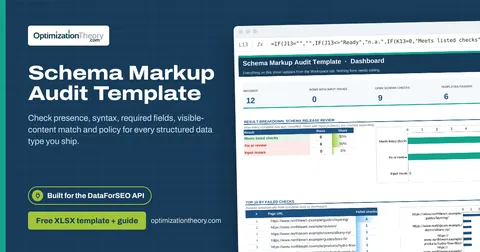
18Schema Markup Audit TemplateOn-Page API
Check presence, syntax, required fields, visible-content match and policy for every structured data type you ship.
Part of the SEO Migration Toolkit
Get all 6 SEO Migration templates in one ZIP, or the complete set of 40 SEO and GEO templates with the 401-page field handbook.
Further reading on Optimization Theory

Built by Jourdan Rombough, technical SEO and GEO consultant with 15+ years in search. About Jourdan or get an SEO plan.
More on digital marketing in our blog
See all posts