Core Web Vitals Tracker
Core Web Vitals Tracker
Log p75 LCP, INP and CLS by URL and device, test against Google's good thresholds and see what fails.
Which pages and devices pass all three Core Web Vitals at the 75th percentile, and which metrics are failing where.
- Excel workbook (.xlsx), opens in Google Sheets
- PDF field guide, 9 to 11 pages
- Blank and worked CSV templates
- DataForSEO import script
Free, no email required. Version 3.0, updated November 2026.
=IF(I13="","",IF(I13<>"Ready","n.a.",IF(J13=0,"All three good","Needs improvement or poor")))The formula above is the real one from cell K13. Scroll it sideways to read the whole rule.
Connected to the DataForSEO API
This template is designed around one DataForSEO endpoint. Pull the data, convert it with one command, and the workbook does the rest.
DataForSEO On-Page APIA crawl of your site: URLs, status codes, canonicals, inlinks and sitemap membershipon_page/task_post
Save the JSON responseThe full API response, kept as your source of truth.response.json
Run the import scriptOffline. No API calls, no credentials.dataforseo_import.py import --template 15
Paste at A13Dashboard, checks and action list update instantly.Core Web Vitals Tracker.xlsx
Column map for this template:Filled by the APIAudit trail (automatic)You add
What the core web vitals tracker decides
Core Web Vitals are measured on real users, at the 75th percentile, separately for mobile and desktop. That last part trips people up: a page can pass on desktop and fail on mobile, and lab tools like Lighthouse don't tell you what real users experienced.
This Core Web Vitals tracker records field data (from CrUX or your RUM tool) for each URL and device, counts how many metrics are above Google's good thresholds (LCP 2.5 s, INP 200 ms, CLS 0.1), and labels each row All three good or Needs improvement or poor.
Who it's for
- Developers and SEOs tracking page experience over time
- Ecommerce teams prioritizing template performance work
- Agencies reporting performance to clients
- Teams validating a performance release
Where it fits in your workflow
The core web vitals tracker answers one question. These three templates answer the questions around it:
- Technical SEO Prioritization Template: which technical issues to fix first, ranked by an explicit estimate of recoverable clicks and monthly profit per hour of effort.
- Crawl Budget Analysis Template: which URL patterns soak up crawl requests without returning value, how much crawl activity each wastes, and what to do about it.
- Ecommerce SEO Prioritization Template: which products deserve SEO work first, based on the profit each could earn per hour invested, and which are blocked by stock or indexing.
What's inside the download
One ZIP with the workbook, an 8-column input template (blank and filled), the PDF field guide and an offline script that converts saved DataForSEO responses into the input CSV. The workbook has five tabs.
How the Core Web Vitals tracker calculation works
Metrics above good threshold = 1 for LCP over 2.5 seconds + 1 for INP over 200 ms + 1 for CLS over 0.1. Zero means All three good.
The key formula, exactly as it appears in the workbook
=IF(I13="","",IF(I13<>"Ready","n.a.",IF(J13=0,"All three good","Needs improvement or poor")))
| Result column | Plain-English formula | What it tells you |
|---|---|---|
| Metrics above good threshold | IF(Field LCP p75 (s)>2.5,1,0)+IF(Field INP p75 (ms)>200,1,0)+IF(Field CLS p75>0.1,1,0) | Count above the current good thresholds. |
| Field result | IF(Metrics above good threshold=0,"All three good","Needs improvement or poor") | Pass requires all three field metrics at or below good thresholds. |
The results you will see
All three goodNeeds improvement or poor
Green meets the checks, red needs fixing first, amber needs a human decision and blue marks an opportunity. Rows with missing or out-of-range inputs are held back in the Input check column until they're fixed, so a half-filled row never sneaks into a total.
How to use the core web vitals tracker
- Pick representative URLsChoose top templates: home, category, product, article, landing pages.
- Pull field dataUse the CrUX API or PageSpeed Insights field data for p75 LCP, INP and CLS, by device, with the window length.
- Record evidenceNote the source and date so later rows are comparable.
- Fix mobile firstMost failures are mobile. Group fails by template and send them to the fix prioritizer.
The worked example in the Workspace tab. Clear the lime input cells, paste your CSV at A13 (values only) and every result recalculates.
Fill the core web vitals tracker with DataForSEO
Every template in this library is built to run on DataForSEO data. This one uses DataForSEO On-Page API: a crawl of your site: URLs, status codes, canonicals, inlinks and sitemap membership.
DataForSEO supplies the URL or query list and the audit trail; you add the measurements listed below.
- Request the dataSend this request with your DataForSEO API login (HTTP Basic auth).
POST https://api.dataforseo.com/v3/on_page/task_post [ { "target": "yourdomain.com", "max_crawl_pages": 1000 } ]
Post the crawl task, wait for it to finish, then request on_page/pages with {"id": "<task id>", "limit": 1000} and save that response.
- Save the full JSON responseSave the complete response, not just the task ID, next to the template folder.
- Convert it with the included scriptIt runs offline, makes no API calls and never sees your credentials.
python3 Automation/dataforseo_import.py import --template 15 --input response.json --output my-inputs.csv
- Add what the API can't knowDevice, Field LCP p75 (s), Field INP p75 (ms), Field CLS p75, Field window days, Evidence
- Paste at A13Clear the demo rows, paste the CSV values at Workspace cell A13 and the dashboard updates.
| Fills automatically from DataForSEO | You add |
|---|---|
| Page URL | Device, Field LCP p75 (s), Field INP p75 (ms), Field CLS p75, Field window days, Evidence |
Source reference fills automatically with the task ID, endpoint, location, language, device and snapshot time, so every row is traceable. Before a big pull, estimate the cost with the DataForSEO pricing calculator. The same steps, plus an example request file, are in the download's Automation folder.
Worked example: Northbeam Outdoor
Every template ships filled with data from Northbeam Outdoor, a fictional outdoor-gear retailer that appears across all 40 workbooks, so you can see what useful output looks like before you add your own. This workbook has 16 example rows.
Only one mobile row in the example passes all three metrics. Desktop mostly passes, which is the usual pattern and why mobile field data should drive the work.
Top 10 by metrics above good
| # | Page URL | Metrics above good |
|---|---|---|
| 1 | https://www.northbeam.example/guides/choose-sleeping-bag/ | 3 |
| 2 | https://www.northbeam.example/footwear/trail-running/ | 3 |
| 3 | https://www.northbeam.example/tents/backpacking/ | 2 |
| 4 | https://www.northbeam.example/ | 2 |
| 5 | https://www.northbeam.example/sale/ | 1 |
Input fields
Keep the columns in this order when you prepare a CSV. A missing observation stays blank; use 0 only for a measured zero or a verified No. Fields marked DataForSEO can be filled automatically by the included script.
| CSV field | Column | Meaning and rule | Source |
|---|---|---|---|
| url | Page URL | Exact absolute URL. Keep case and query parameters unless a documented normalization rule applies. | DataForSEO: url |
| device | Device | mobile or desktop. | Your records |
| lcp_seconds | Field LCP p75 (s) | CrUX or RUM 75th percentile LCP in seconds. Never paste lab LCP here. | Your records |
| inp_ms | Field INP p75 (ms) | CrUX or RUM 75th percentile INP in milliseconds. | Your records |
| cls | Field CLS p75 | CrUX or RUM 75th percentile CLS, unitless. | Your records |
| window_days | Field window days | Complete field aggregation period, usually 28 days. | Your records |
| evidence | Evidence | Link to a dated crawl, screenshot, ticket or source that another reviewer can inspect. | Your records |
| source_ref | Source reference | Task ID, export filename and observation scope. Retain the untouched source response separately. Optional. | DataForSEO: source_ref |
Reading the result honestly
On-Page lab measurements can help debug a page, but cannot fill the field INP or field p75 columns.
Limits. Origin-level field data must be labeled as origin data in evidence. Missing CrUX coverage is not a pass.
Core Web Vitals tracker mistakes to avoid
Tips from practice
- Low-traffic URLs may have no URL-level CrUX data; use origin-level data and note it.
- Track the same URLs monthly to see trends after releases.
- Send failing templates to the technical SEO prioritizer with their traffic.
Frequently asked questions
What are good Core Web Vitals scores?
At the 75th percentile: LCP of 2.5 seconds or less, INP of 200 milliseconds or less, and CLS of 0.1 or less.
What replaced FID?
Interaction to Next Paint (INP) replaced First Input Delay in March 2024.
Where do I get Core Web Vitals field data?
From the Chrome UX Report (CrUX) via PageSpeed Insights, the CrUX API, BigQuery, or your own real-user monitoring.
Are Core Web Vitals a ranking factor?
They're part of Google's page experience signals. They matter, but they rarely outweigh relevance and content quality.
Use it with these templates
Each template answers one decision. These are the ones that feed into, or follow from, the core web vitals tracker.
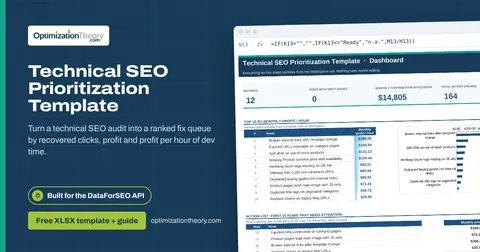
13Technical SEO Prioritization TemplateOn-Page API
Turn a technical SEO audit into a ranked fix queue by recovered clicks, profit and profit per hour of dev time.
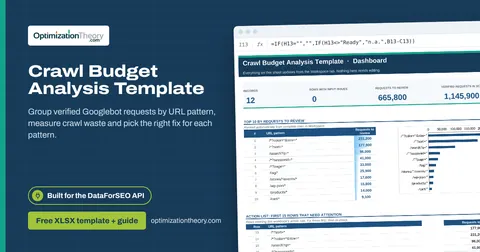
14Crawl Budget Analysis TemplateOn-Page API
Group verified Googlebot requests by URL pattern, measure crawl waste and pick the right fix for each pattern.
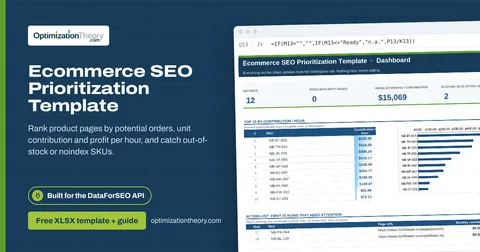
36Ecommerce SEO Prioritization TemplateLabs: Keyword Overview
Rank product pages by potential orders, unit contribution and profit per hour, and catch out-of-stock or noindex SKUs.
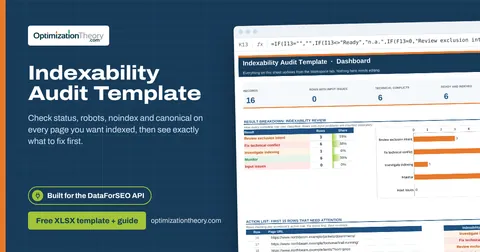
11Indexability Audit TemplateOn-Page API
Check status, robots, noindex and canonical on every page you want indexed, then see exactly what to fix first.
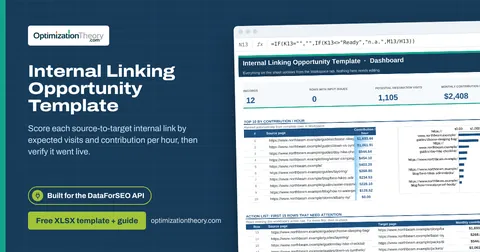
16Internal Linking Opportunity TemplateOn-Page API
Score each source-to-target internal link by expected visits and contribution per hour, then verify it went live.
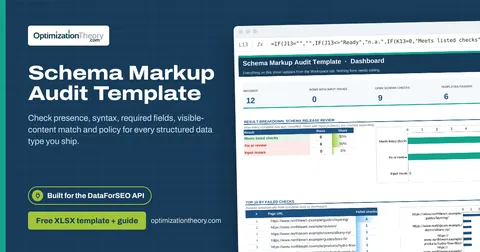
18Schema Markup Audit TemplateOn-Page API
Check presence, syntax, required fields, visible-content match and policy for every structured data type you ship.
Part of the Technical SEO Toolkit
Get all 6 Technical SEO templates in one ZIP, or the complete set of 40 SEO and GEO templates with the 401-page field handbook.
Further reading on Optimization Theory

Built by Jourdan Rombough, technical SEO and GEO consultant with 15+ years in search. About Jourdan or get an SEO plan.
More on digital marketing in our blog
See all posts