Crawl Budget Analysis Template
Crawl Budget Analysis Template
Group verified Googlebot requests by URL pattern, measure crawl waste and pick the right fix for each pattern.
Which URL patterns soak up crawl requests without returning value, how much crawl activity each wastes, and what to do about it.
- Excel workbook (.xlsx), opens in Google Sheets
- PDF field guide, 9 to 11 pages
- Blank and worked CSV templates
- DataForSEO import script
Free, no email required. Version 3.0, updated November 2026.
=IF(H13="","",IF(H13<>"Ready","n.a.",B13-C13))The formula above is the real one from cell I13. Scroll it sideways to read the whole rule.
Connected to the DataForSEO API
This template is designed around one DataForSEO endpoint. Pull the data, convert it with one command, and the workbook does the rest.
DataForSEO On-Page APIA crawl of your site: URLs, status codes, canonicals, inlinks and sitemap membershipon_page/task_post
Save the JSON responseThe full API response, kept as your source of truth.response.json
Run the import scriptOffline. No API calls, no credentials.dataforseo_import.py import --template 14
Paste at A13Dashboard, checks and action list update instantly.Crawl Budget Analysis Template.xlsx
Column map for this template:Filled by the APIAudit trail (automatic)You add
What the crawl budget analysis template decides
Crawl budget is a real constraint on large sites: ecommerce catalogs with faceted navigation, marketplaces, publishers with deep archives. When Googlebot spends hundreds of thousands of requests on sort orders, filter combinations and session IDs, new and updated pages wait longer to be crawled.
This crawl budget analysis template works from verified Googlebot log data grouped by URL pattern. For each pattern you enter total verified requests and how many hit valuable URLs, plus unique URLs and internal links. It calculates requests to review, the share of the pattern that's waste, and requests per URL, so you can match each pattern to the right fix.
Who it's for
- Technical SEOs on large ecommerce or publisher sites
- Developers deciding how to handle faceted navigation and parameters
- Teams investigating slow indexing of new pages
- Anyone with server logs and a suspicion something's wrong
Where it fits in your workflow
The crawl budget analysis template answers one question. These three templates answer the questions around it:
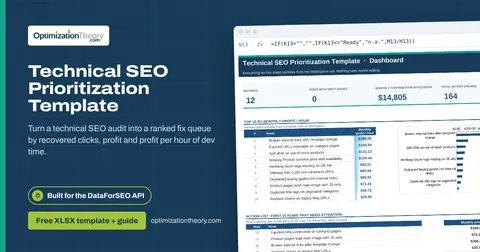
- Technical SEO Prioritization Template: which technical issues to fix first, ranked by an explicit estimate of recoverable clicks and monthly profit per hour of effort.
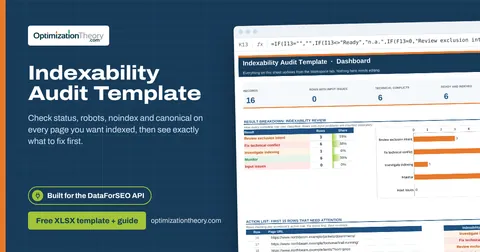
- Indexability Audit Template: which pages that should be indexed have a technical conflict, which are technically fine but still not indexed, and which were never meant to be indexed.
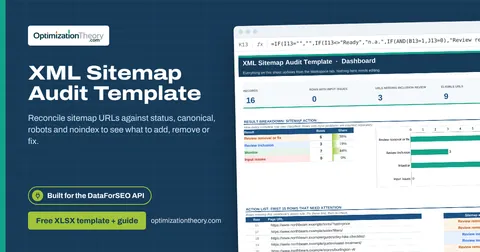
- XML Sitemap Audit Template: which URLs should be removed from your XML sitemap (or fixed), which eligible URLs are missing from it, and which are fine.
What's inside the download
One ZIP with the workbook, a 7-column input template (blank and filled), the PDF field guide and an offline script that converts saved DataForSEO responses into the input CSV. The workbook has five tabs.
How the log file analysis SEO calculation works
Requests to review = verified requests − valuable requests. Review share = requests to review ÷ verified requests. Requests per URL = verified requests ÷ unique URLs.
The key formula, exactly as it appears in the workbook
=IF(H13="","",IF(H13<>"Ready","n.a.",B13-C13))
| Result column | Plain-English formula | What it tells you |
|---|---|---|
| Requests to review | Verified bot requests-Requests to valuable URLs | Requests outside the approved valuable subset. Not all are waste. |
| Review share | IF(Verified bot requests=0,"n.a.",Requests to review ÷ Verified bot requests) | Share of verified requests outside the valuable subset. |
| Requests / URL | Verified bot requests ÷ Unique requested URLs | Request frequency for this observed window. |
How to use the crawl budget analysis template
- Verify the botFilter logs to verified Googlebot using reverse DNS. User agents alone are easily spoofed.
- Group by patternBucket URLs into patterns: parameters, folders, templates. Count requests and unique URLs per pattern for a fixed window.
- Mark valuable requestsValuable means the request hit an indexable, canonical URL you want crawled. Join with your crawl data.
- Choose an action per patternHigh review share with many internal links usually means fixing links; high requests per URL means a trap.
The worked example in the Workspace tab. Clear the lime input cells, paste your CSV at A13 (values only) and every result recalculates.
Fill the crawl budget analysis template with DataForSEO
Every template in this library is built to run on DataForSEO data. This one uses DataForSEO On-Page API: a crawl of your site: URLs, status codes, canonicals, inlinks and sitemap membership.
DataForSEO supplies the URL or query list and the audit trail; you add the measurements listed below.
- Request the dataSend this request with your DataForSEO API login (HTTP Basic auth).
POST https://api.dataforseo.com/v3/on_page/task_post [ { "target": "yourdomain.com", "max_crawl_pages": 1000 } ]
Post the crawl task, wait for it to finish, then request on_page/pages with {"id": "<task id>", "limit": 1000} and save that response.
- Save the full JSON responseSave the complete response, not just the task ID, next to the template folder.
- Convert it with the included scriptIt runs offline, makes no API calls and never sees your credentials.
python3 Automation/dataforseo_import.py import --template 14 --input response.json --output my-inputs.csv
- Add what the API can't knowURL pattern, Verified bot requests, Requests to valuable URLs, Unique requested URLs, Average internal inlinks, Next action
- Paste at A13Clear the demo rows, paste the CSV values at Workspace cell A13 and the dashboard updates.
| Fills automatically from DataForSEO | You add |
|---|---|
| Source reference (audit trail) | URL pattern, Verified bot requests, Requests to valuable URLs, Unique requested URLs, Average internal inlinks, Next action |
Source reference fills automatically with the task ID, endpoint, location, language, device and snapshot time, so every row is traceable. Before a big pull, estimate the cost with the DataForSEO pricing calculator. The same steps, plus an example request file, are in the download's Automation folder.
Worked example: Northbeam Outdoor
Every template ships filled with data from Northbeam Outdoor, a fictional outdoor-gear retailer that appears across all 40 workbooks, so you can see what useful output looks like before you add your own. This workbook has 12 example rows.
Filter combinations and sort parameters account for most of the example's waste. Product URLs are 95% valuable and should be left alone.
Top 10 by requests to review
| # | URL pattern | Requests to review |
|---|---|---|
| 1 | /*?color=*&size=* | 231,200 |
| 2 | /*?sort=* | 177,900 |
| 3 | /search?q=* | 96,000 |
| 4 | /*?sessionid=* | 41,000 |
| 5 | /*?page=* | 33,000 |
Input fields
Keep the columns in this order when you prepare a CSV. A missing observation stays blank; use 0 only for a measured zero or a verified No. Fields marked DataForSEO can be filled automatically by the included script.
| CSV field | Column | Meaning and rule | Source |
|---|---|---|---|
| pattern | URL pattern | Mutually exclusive URL pattern or template group. | Your records |
| verified_requests | Verified bot requests | Count from server logs after verifying the bot identity. | Your records |
| valuable_requests | Requests to valuable URLs | Requests inside the same group to approved canonical indexable URLs. | Your records |
| unique_urls | Unique requested URLs | Distinct URLs requested by the verified bot. | Your records |
| inlinks | Average internal inlinks | Crawl-derived average inlinks for this same group. | Your records |
| action | Next action | Document a proposed navigation, canonical, status or URL-generation change. | Your records |
| source_ref | Source reference | Task ID, export filename and observation scope. Retain the untouched source response separately. Optional. | DataForSEO: source_ref |
Reading the result honestly
Redirect checks, robots fetching and discovery can be legitimate. The metric finds work to inspect.
Limits. On-Page is a site crawl, not Googlebot logs. Server request data must come from your verified logs.
Log file analysis SEO mistakes to avoid
Tips from practice
- Cut internal links to wasteful patterns before blocking them; links create the demand.
- Track the same patterns monthly to confirm fixes reduce waste.
- Pair with the indexability audit to check what's valuable.
Frequently asked questions
What is crawl budget?
The number of URLs Googlebot can and wants to crawl on your site in a given time. It matters mostly for very large or frequently changing sites.
How do I analyze crawl budget with log files?
Filter server logs to verified Googlebot, group requests by URL pattern, and compare requests on valuable URLs with requests on parameters, duplicates and dead ends.
What causes crawl waste?
Faceted navigation, sort and filter parameters, session IDs, internal search pages, infinite calendars and expired content that keeps getting linked.
Should I block parameters in robots.txt?
Sometimes. It's effective for pure waste, but it hides canonicals and noindex from Google. For duplicates with signals, prefer removing links and using canonicals.
Use it with these templates
Each template answers one decision. These are the ones that feed into, or follow from, the crawl budget analysis template.
13Technical SEO Prioritization TemplateOn-Page API
Turn a technical SEO audit into a ranked fix queue by recovered clicks, profit and profit per hour of dev time.
11Indexability Audit TemplateOn-Page API
Check status, robots, noindex and canonical on every page you want indexed, then see exactly what to fix first.
17XML Sitemap Audit TemplateOn-Page API
Reconcile sitemap URLs against status, canonical, robots and noindex to see what to add, remove or fix.
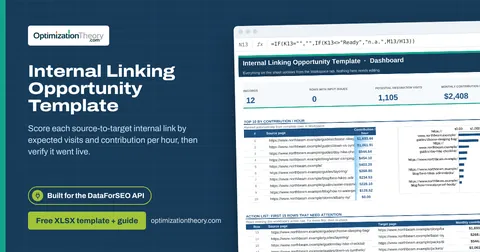
16Internal Linking Opportunity TemplateOn-Page API
Score each source-to-target internal link by expected visits and contribution per hour, then verify it went live.
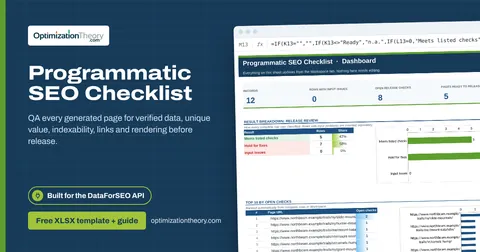
37Programmatic SEO ChecklistOn-Page API
QA every generated page for verified data, unique value, indexability, links and rendering before release.
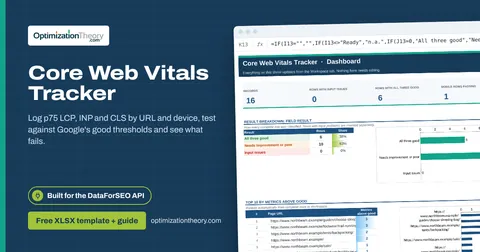
15Core Web Vitals TrackerOn-Page API
Log p75 LCP, INP and CLS by URL and device, test against Google's good thresholds and see what fails.
Part of the Technical SEO Toolkit
Get all 6 Technical SEO templates in one ZIP, or the complete set of 40 SEO and GEO templates with the 401-page field handbook.
Further reading on Optimization Theory

Built by Jourdan Rombough, technical SEO and GEO consultant with 15+ years in search. About Jourdan or get an SEO plan.
More on digital marketing in our blog
See all posts