SEO Content Brief Template
SEO Content Brief Template
A content brief built for Google and AI answers: real questions, original evidence, sources and a three-step approval workflow.
Which sections of a page are ready to publish, and what each unfinished section needs next: writing, fact-checking or editor approval.
- Excel workbook (.xlsx), opens in Google Sheets
- PDF field guide, 9 to 11 pages
- Blank and worked CSV templates
- DataForSEO import script
Free, no email required. Version 3.0, updated November 2026.
=IF(K13="","",IF(K13<>"Ready","n.a.",IF(G13=0,"Write section",IF(H13=0,"Check facts",IF(I13=0,"Editor review","Ready")))))The formula above is the real one from cell M13. Scroll it sideways to read the whole rule.
Connected to the DataForSEO API
This template is designed around one DataForSEO endpoint. Pull the data, convert it with one command, and the workbook does the rest.
DataForSEO Labs: Keyword OverviewSearch volume, monthly history, difficulty and intent for a list of keywordsdataforseo_labs/google/keyword_overview/live
Save the JSON responseThe full API response, kept as your source of truth.response.json
Run the import scriptOffline. No API calls, no credentials.dataforseo_import.py import --template 19 --csv
Paste at A13Dashboard, checks and action list update instantly.SEO Content Brief Template.xlsx
Column map for this template:Filled by the APIAudit trail (automatic)You add
What the SEO content brief template decides
Most SEO content briefs are a keyword, a word count and a list of competitor headings. That produces content that looks like everything else on page one, which is exactly what neither Google nor AI answer engines want to cite.
This SEO content brief template is organized around the questions a real audience asks, the original evidence you'll bring to each one, and the source that supports it. Each section moves through drafted, fact-checked and approved, and the template tells you the next editorial step for every section so a brief doubles as a production tracker.
Who it's for
- Content leads briefing writers or freelancers
- SEOs building pages meant to be cited in AI answers
- Editors who need a fact-check trail
- Subject matter experts contributing original evidence
Where it fits in your workflow
The SEO content brief template answers one question. These three templates answer the questions around it:
- Answer Evidence Audit Template: which claims on a page are verified, original, clear and current, and what each unfinished claim needs next.
- AI Prompt Research Template: which prompts belong in your AI visibility panel, how much each matters, and how many observations each tracking cycle needs.
- SEO Content Calendar Template: what's published, what's in production, what's overdue, and how many production hours remain against your capacity.
What's inside the download
One ZIP with the workbook, a 10-column input template (blank and filled), the PDF field guide and an offline script that converts saved DataForSEO responses into the input CSV. The workbook has five tabs.
How the content brief template calculation works
Section ready = 1 only when drafted, fact-checked and approved are all 1. Next editorial step returns Write section, Check facts, Editor review or Ready in that order, so the first missing step is always the one shown.
The key formula, exactly as it appears in the workbook
=IF(K13="","",IF(K13<>"Ready","n.a.",IF(G13=0,"Write section",IF(H13=0,"Check facts",IF(I13=0,"Editor review","Ready")))))
| Result column | Plain-English formula | What it tells you |
|---|---|---|
| Section ready | IF(AND(Draft exists=1,Fact checked=1,Editor approved=1),1,0) | All three editorial steps completed with the required evidence fields. |
| Next editorial step | IF(Draft exists=0,"Write section",IF(Fact checked=0,"Check facts",IF(Editor approved=0,"Editor review","Ready"))) | First incomplete step in the editorial workflow. |
The results you will see
Write sectionCheck factsEditor reviewReady
Green meets the checks, red needs fixing first, amber needs a human decision and blue marks an opportunity. Rows with missing or out-of-range inputs are held back in the Input check column until they're fixed, so a half-filled row never sneaks into a total.
How to use the SEO content brief template
- Start from questions, not headingsList the questions your audience actually asks: sales calls, support tickets, People Also Ask, your AI prompt panel.
- Name the original evidenceFor each question, write what you'll add that others can't: your data, tests, photos, expert quotes.
- Attach a sourceEvery factual section needs a source: a URL, a document or an internal report.
- Move sections through reviewMark drafted, fact-checked and approved as 1 or 0. The Next step column tells the team what's blocking each section.
The worked example in the Workspace tab. Clear the lime input cells, paste your CSV at A13 (values only) and every result recalculates.
Fill the SEO content brief template with DataForSEO
Every template in this library is built to run on DataForSEO data. This one uses DataForSEO Labs: Keyword Overview: search volume, monthly history, difficulty and intent for a list of keywords.
This is a sign-off workflow. DataForSEO responses are the evidence you attach; the human checks stay manual by design.
- Request the dataSend this request with your DataForSEO API login (HTTP Basic auth).
POST https://api.dataforseo.com/v3/dataforseo_labs/google/keyword_overview/live [ { "keywords": [ "your keyword 1", "your keyword 2" ], "location_code": 2840, "language_code": "en" } ]
- Save the full JSON responseSave the complete response, not just the task ID, next to the template folder.
- Convert it with the included scriptIt runs offline, makes no API calls and never sees your credentials.
python3 Automation/dataforseo_import.py import --template 19 --csv --input my-filled.csv --output my-inputs.csv
- Add what the API can't knowPlanned page URL, Audience and task, Section question, Original evidence plan, Supporting source, Draft exists, Fact checked, Editor approved
- Paste at A13Clear the demo rows, paste the CSV values at Workspace cell A13 and the dashboard updates.
| Fills automatically from DataForSEO | You add |
|---|---|
| Keyword | Planned page URL, Audience and task, Section question, Original evidence plan, Supporting source, Draft exists, Fact checked, Editor approved |
Source reference fills automatically with the task ID, endpoint, location, language, device and snapshot time, so every row is traceable. Before a big pull, estimate the cost with the DataForSEO pricing calculator. The same steps, plus an example request file, are in the download's Automation folder.
Worked example: Northbeam Outdoor
Every template ships filled with data from Northbeam Outdoor, a fictional outdoor-gear retailer that appears across all 40 workbooks, so you can see what useful output looks like before you add your own. This workbook has 8 example rows.
In the example sleeping bag guide, two sections are fully ready, two still need writing, two are waiting on fact checks and two are with the editor. That's a realistic picture of a brief halfway through production.
Result breakdown
| Result | Rows | Share |
|---|---|---|
| Write section | 2 | 25% |
| Check facts | 2 | 25% |
| Editor review | 2 | 25% |
| Ready | 2 | 25% |
| Input issues | 0 | 0% |
Input fields
Keep the columns in this order when you prepare a CSV. A missing observation stays blank; use 0 only for a measured zero or a verified No. Fields marked DataForSEO can be filled automatically by the included script.
| CSV field | Column | Meaning and rule | Source |
|---|---|---|---|
| keyword | Keyword | Exact query in the selected country and language. | DataForSEO: keyword |
| page_url | Planned page URL | Approved new or existing destination. | Your records |
| audience | Audience and task | Who needs the page and what decision they need to make. | Your records |
| question | Section question | One actual reader question to answer in this section. | Your records |
| original_evidence | Original evidence plan | Named dataset, expert input, demonstration or first-hand example. | Your records |
| source_url | Supporting source | Primary source to verify this section. Use an accessible URL. | Your records |
| drafted | Draft exists | 1 after the section is written. 1 = Yes, 0 = No. | Your records |
| fact_checked | Fact checked | 1 after claims and calculations are checked. 1 = Yes, 0 = No. | Your records |
| approved | Editor approved | 1 after the editor accepts the section. 1 = Yes, 0 = No. | Your records |
| source_ref | Source reference | Task ID, export filename and observation scope. Retain the untouched source response separately. Optional. | DataForSEO: source_ref |
Reading the result honestly
The brief is complete when it reduces guessing for the writer and defines an inspectable answer.
Limits. Keyword volume does not prove a section belongs in the brief. No text pattern guarantees an AI citation.
Content brief template mistakes to avoid
Tips from practice
- Pull questions from the AI prompt research template so the brief targets AI answers too.
- Run the answer evidence audit on the published page.
- Keep one brief per URL and update it when you refresh the page.
Frequently asked questions
What should an SEO content brief include?
The target keyword and URL, the audience, the questions to answer, the original evidence for each, supporting sources, and a review workflow. This template adds a section-level readiness tracker.
How is a GEO content brief different?
It puts more weight on answering specific questions clearly, citing sources and adding original, verifiable evidence, which is what AI answer engines tend to quote and cite.
How long should a content brief be?
As long as it needs to give a writer clear direction. One row per question or section usually works well.
Can freelancers use this template?
Yes. Share the XLSX or upload it to Google Sheets; the workflow columns make handoffs clear.
Use it with these templates
Each template answers one decision. These are the ones that feed into, or follow from, the SEO content brief template.
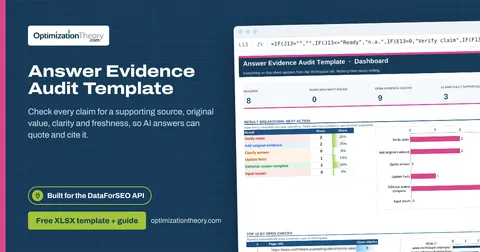
28Answer Evidence Audit TemplateOn-Page API
Check every claim for a supporting source, original value, clarity and freshness, so AI answers can quote and cite it.
25AI Prompt Research TemplateLabs: Keyword Overview
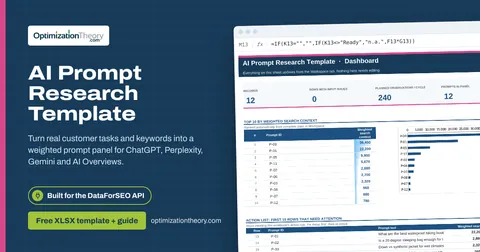
Turn real customer tasks and keywords into a weighted prompt panel for ChatGPT, Perplexity, Gemini and AI Overviews.
23SEO Content Calendar TemplateLabs: Keyword Overview
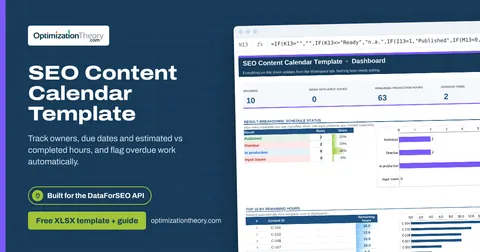
Track owners, due dates and estimated vs completed hours, and flag overdue work automatically.
20Content Audit TemplateOn-Page API
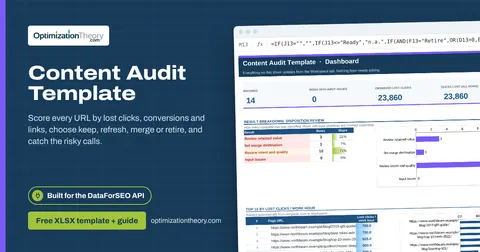
Score every URL by lost clicks, conversions and links, choose keep, refresh, merge or retire, and catch the risky calls.
03SERP Overlap Keyword Clustering TemplateSERP API: Google Organic
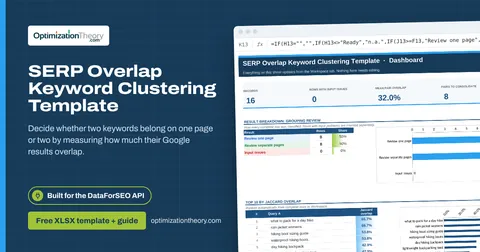
Decide whether two keywords belong on one page or two by measuring how much their Google results overlap.
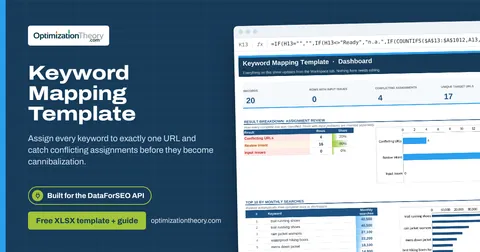
02Keyword Mapping TemplateLabs: Ranked Keywords
Assign every keyword to exactly one URL and catch conflicting assignments before they become cannibalization.
Part of the Content SEO Toolkit
Get all 6 Content SEO templates in one ZIP, or the complete set of 40 SEO and GEO templates with the 401-page field handbook.
Further reading on Optimization Theory

Built by Jourdan Rombough, technical SEO and GEO consultant with 15+ years in search. About Jourdan or get an SEO plan.
More on digital marketing in our blog
See all posts